




















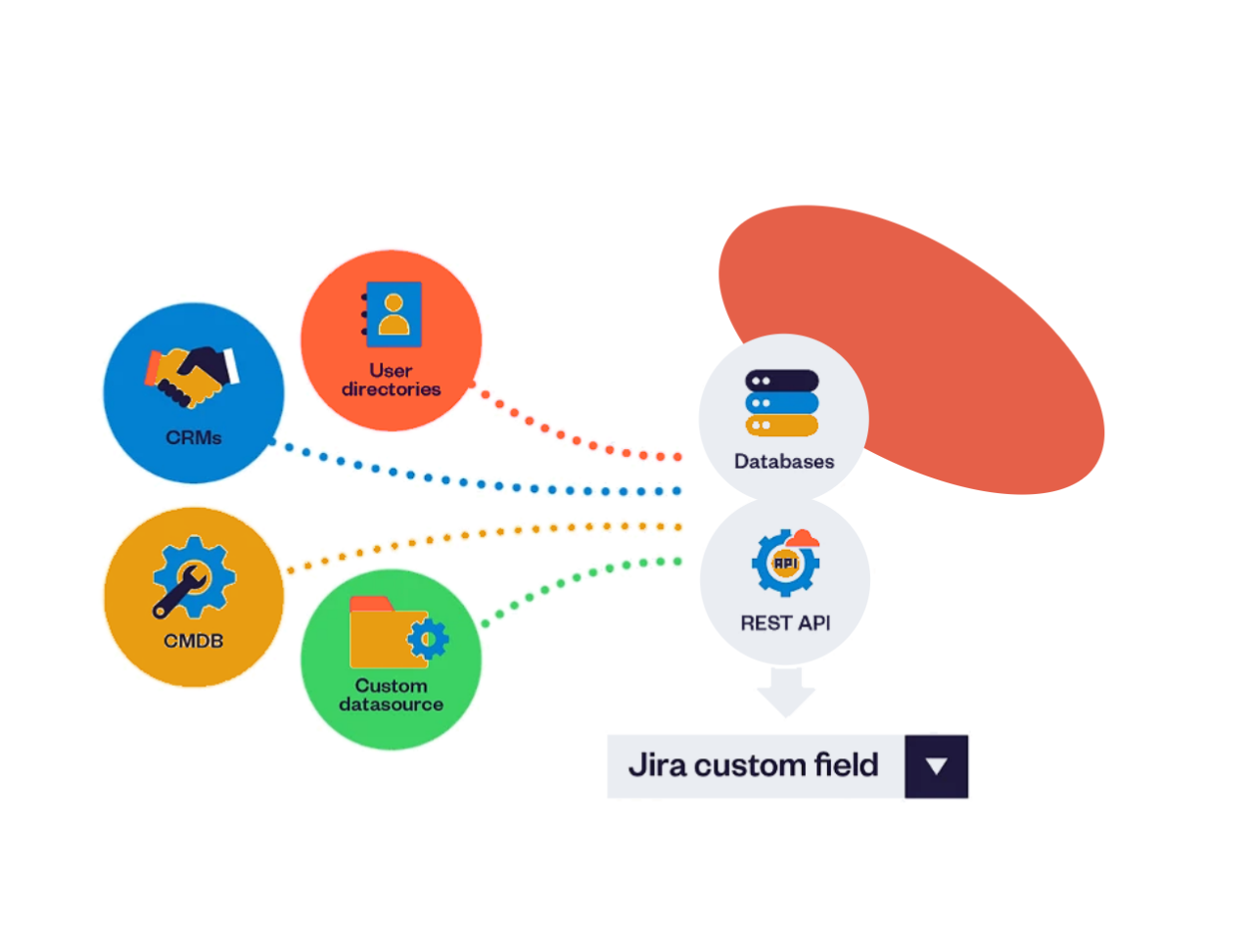
Bring external data into Jira
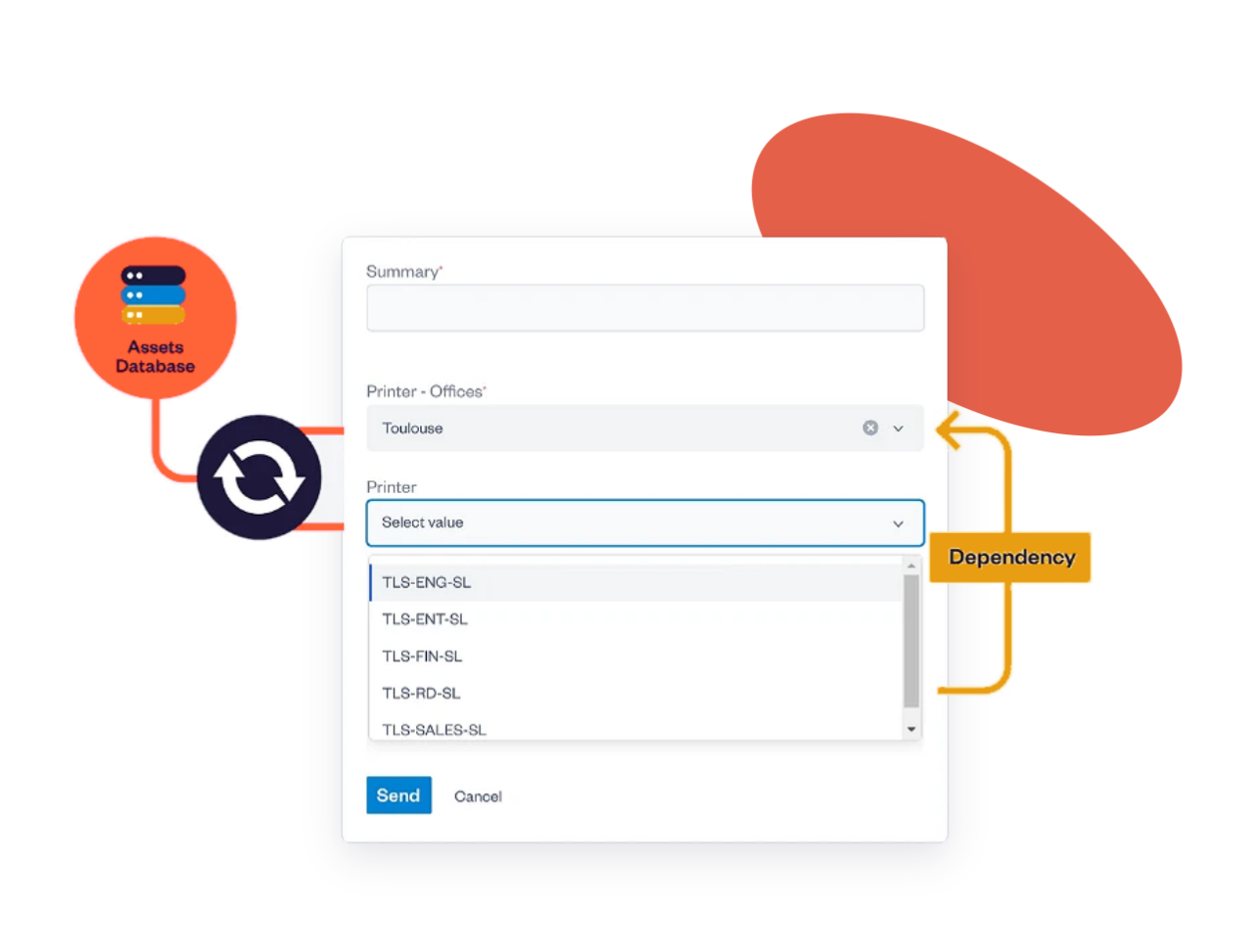
Guide users with live, dependent Jira fields
•Real-time data, always in sync with your external sources
•Configure field dependencies and create multi-levels cascading select lists for better data organization
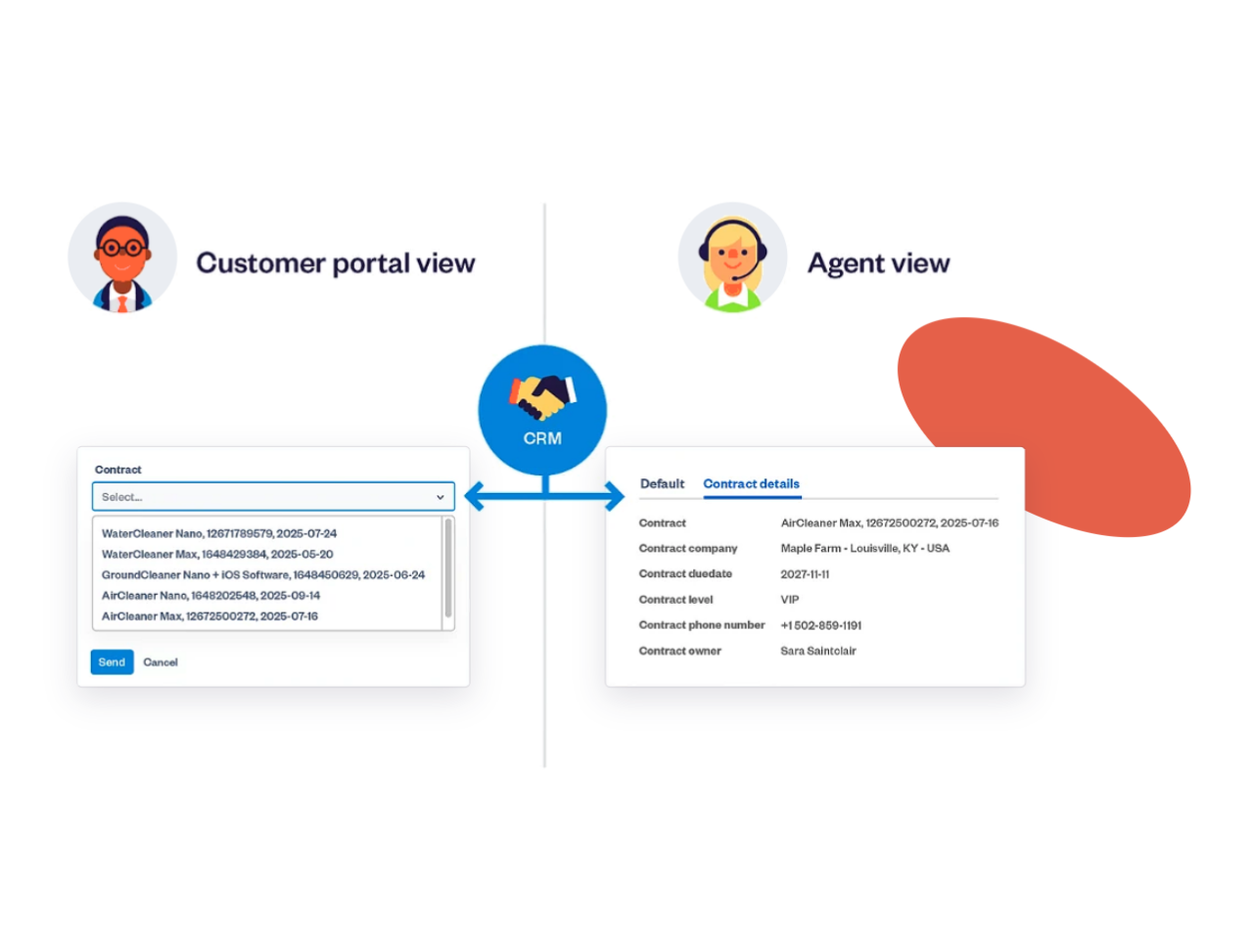
Take full control over how external data appears in Jira
•Set-up field dependencies to surface only relevant data and speed up selection
•Enable user-based filtering so each user sees data tailored to their profile
•Show data to agents only keep it hidden from JSM portal customers
Why teams connect external data to Jira
Turn Jira custom fields into live, contextual data that teams can trust
Resolve tickets up to 38% faster
Agents get customer, asset and user data at their fingertips instead of searching across tools.
Reliable data, fewer input errors
Users pick values from a trusted source instead of typing them, so every work item starts with one source of truth.
Richer reporting and dashboards
Structured external data in custom fields makes Jira filters, reports, and dashboards more accurate and more useful.
No custom development
Jira admins connect data sources and configure fields themselves, without scripts or in-house integrations to maintain.
Zero manual data upkeep
When data changes at the source, Jira follows. No more re-syncing spreadsheets or updating option lists by hand.
Enterprise-grade security
SOC 2 Type II and ISO 27001 certified, Atlassian Enterprise Certified and part of the Marketplace Bug Bounty program.
How Jira teams use Elements Connect
Discover how support, HR, development and IT teams bring external data into Jira to work faster, with the right context
Bring Salesforce and CRM data into Jira
Streamline your Jira CRM integration with tools like Salesforce or HubSpot. Customer details, contract information and support tiers appear automatically inside Jira Service Management requests. Agents stop copy-pasting, customers stop re-entering data, and SLAs adapt to each customer tier.
Automate HR requests with directory data
Simplify your Jira integration with Okta or Azure AD. Fetch employee attributes – department, location, reporting manager – directly into Jira Service Management. Route tickets to the right queue and approver automatically, with no manual maintenance when employees change roles.
Enrich Jira custom fields with live data
Connect product catalogs, SQL databases, GitHub and external APIs to Jira custom fields. Developers get the right context (impacted components, affected users, error logs) inside every work item, without hunting across other tools.
Scale your Jira integrations
Managing multiple Jira integrations at enterprise scale shouldn’t require custom development. Connect your CMDB, CRM, and HR systems to Jira at once, and give every team a unified, real-time view of their data inside every work item.