



















Synced Attributes from Entra ID, Faster Task Completion in Jira
See how Entra ID (Azure AD) attributes sync into Jira and power the way your team works, approves, and reports.
Context without leaving Jira
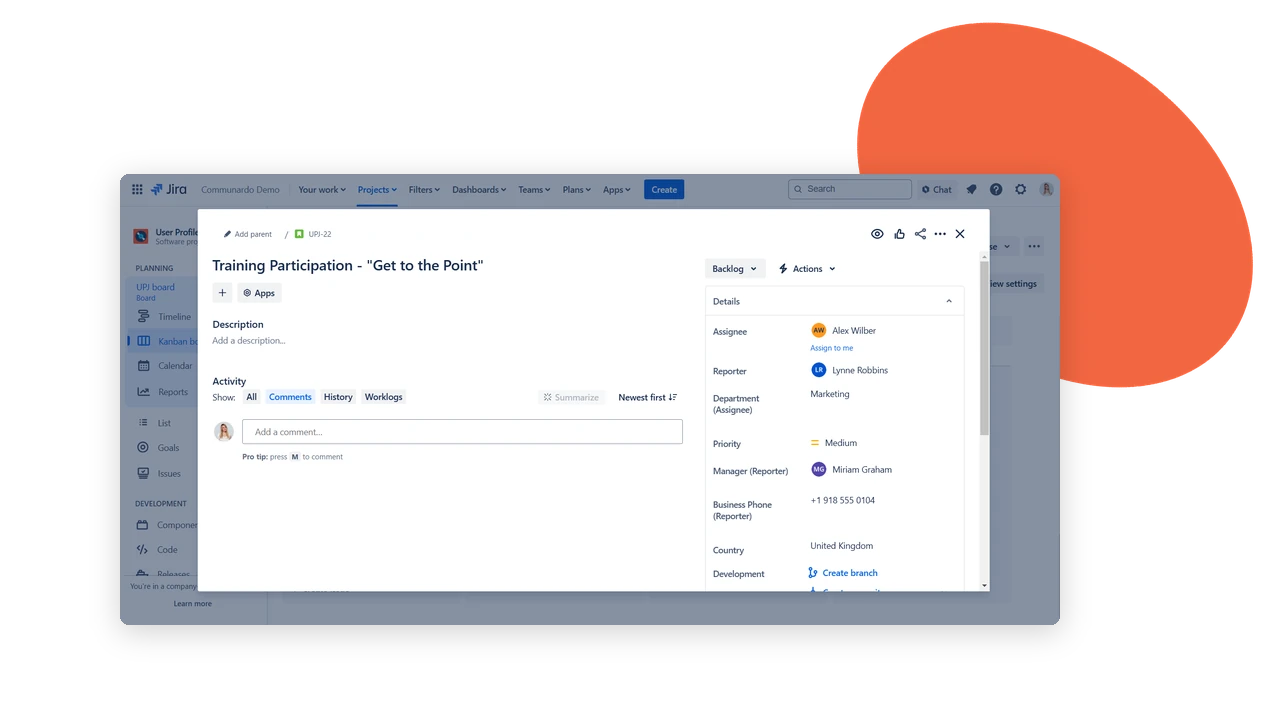
Additional User Details, Right on the Issue
Sync user attributes into Jira issues and display assignee or reporter details – job title, phone, location – sourced from Entra ID (Azure AD). Choose which attributes to display for accurate issue resolution.
Built for automation
Attributes That Power Workflows
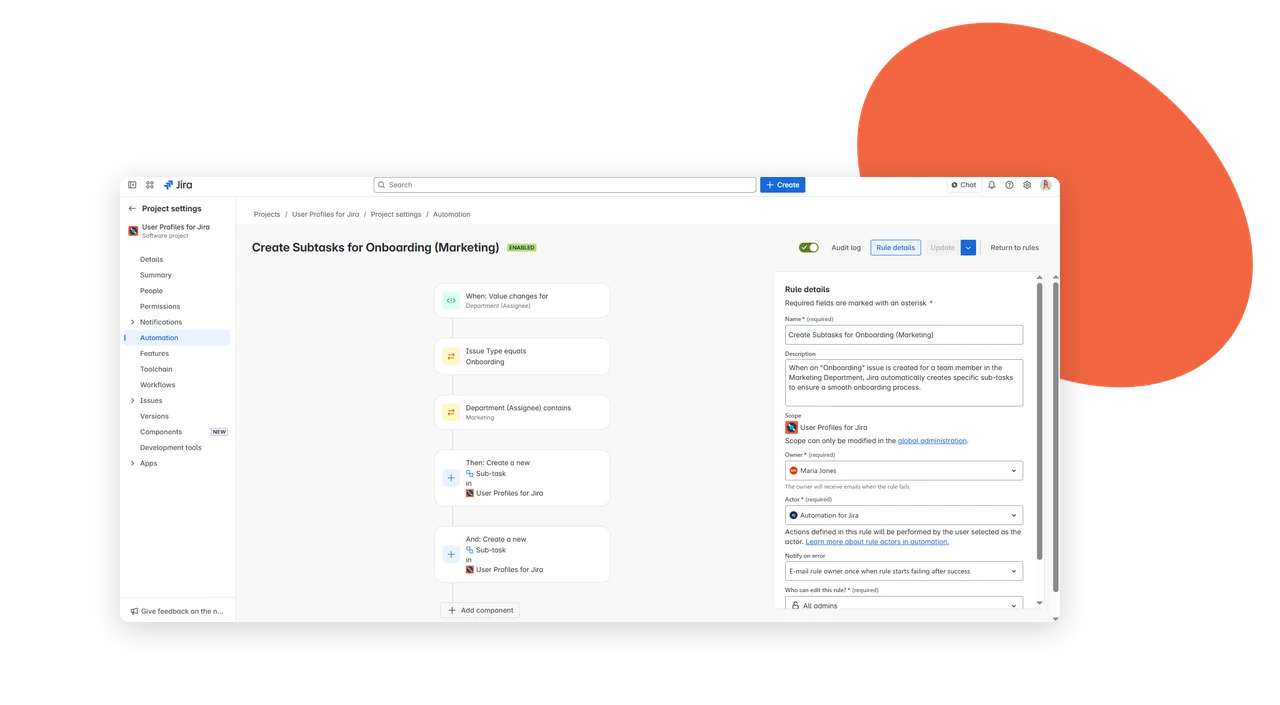
Use user attributes in JQL filters, queues, and automation rules to shape how work gets routed. Map profile fields – like department and location – to Jira issue fields to automate workflows and support reporting.
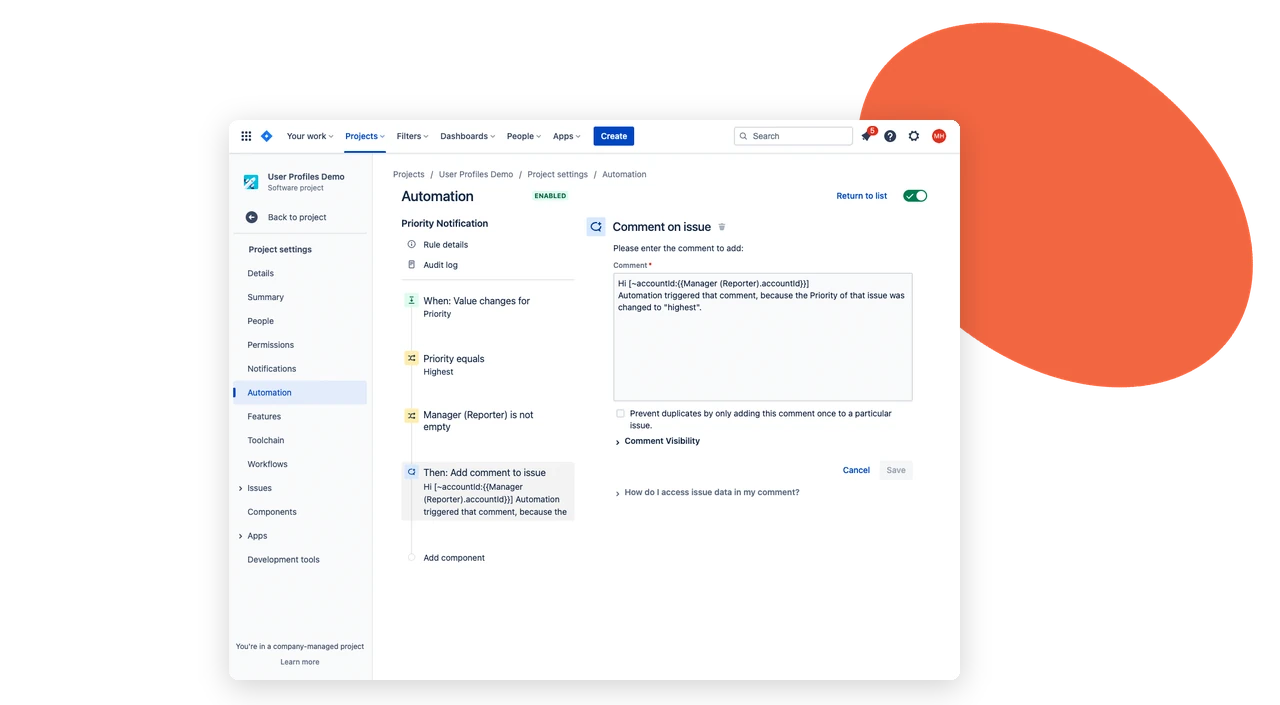
Approvals, automated
Simplify Approvals with Entra ID User Attributes
Use Entra ID (Azure AD) user attributes in workflows to trigger approval processes automatically. Manager attributes assign and automate approvals – like purchase requests – and help move tasks to completion.
Key benefits that keep work flowing
User directory attributes flow from Entra ID (Azure AD) into Jira automatically – giving context on every issue and powering approvals across departments.
Synced, Not Manual
User attributes stay synced from Entra ID (Azure AD), so displayed info is always current – no manual entry, no outdated profiles.
Details on Every Issue
Job title, phone, and location show up directly on assignee, reporter, and user-picker fields – right where decisions get made.
You Choose What Shows
Select which attributes display per issue, so teams see relevant context without unnecessary detail.
Built for JQL and Automation
Profile fields map to Jira issue fields, making attributes usable in filters, queues, and automation rules – not just visible, but actionable.
Approvals That Route Themselves
Manager attributes trigger approval steps automatically – purchase requests, content sign-off, contract review – without manual routing.
Reporting by Role
Filter by job position to see team workload at a glance, supporting cleaner reporting across departments.
See It in Action
Follow common scenarios where directory attributes speed up decisions, without leaving Jira.
Context Without the Lookup
An agent opens an issue and sees the reporter’s job title, phone, and location right there. No separate directory search, no delay before responding.
Manager Data Routes Approvals
A purchase request needs manager sign-off. The manager attribute from Entra ID triggers the approval step automatically, whether it’s Finance, Marketing, or HR/Legal.
Workload by Job Position
A team lead filters issues by job position to see how work is distributed across roles, without exporting data or cross-referencing another system.
Faster Resolution in JSM
A support ticket comes in and the reporter’s contact info and job position are visible immediately – helping agents prioritize and resolve faster.