





















Stop Switching Between Tools
Connect SharePoint and OneDrive to Jira, so teams can find, share, and manage project documents without leaving their issues.
Find information faster
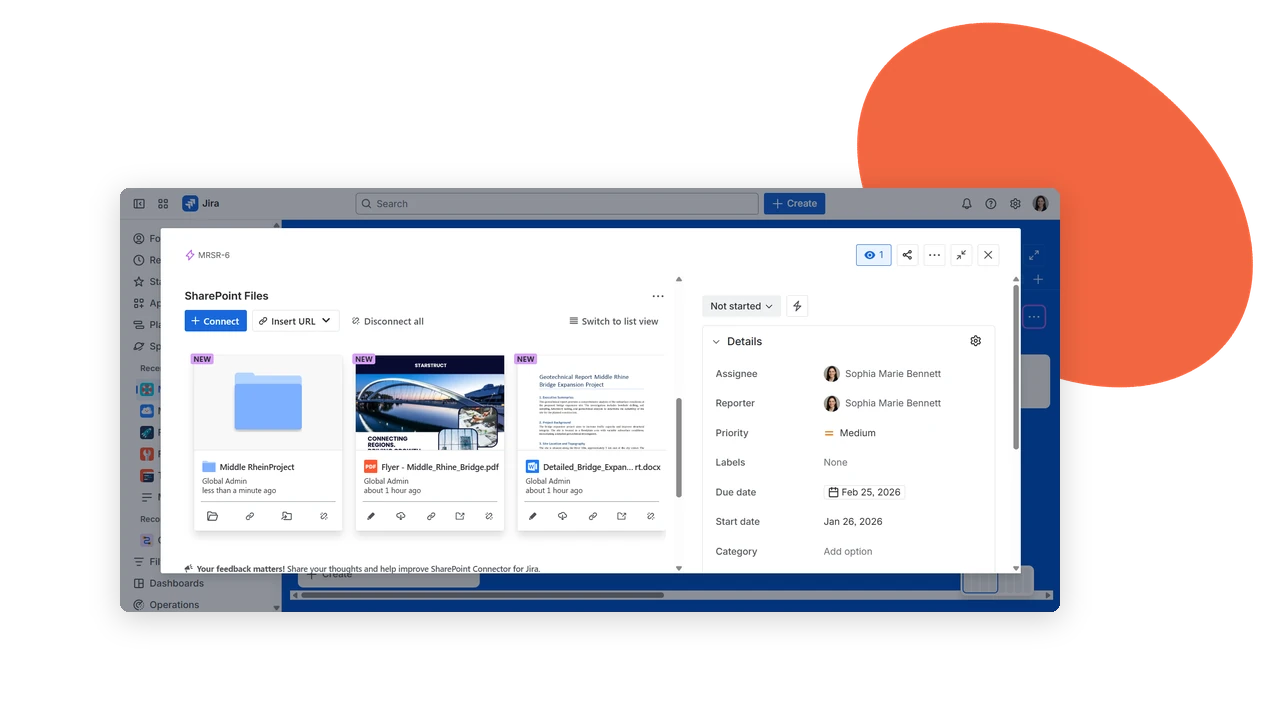
Connect Microsoft 365 with Jira
Browse, search, edit, and upload SharePoint Online and OneDrive files without leaving Jira. Link SharePoint folders to projects for centralized, permission-aware access to documents.
Track work from anywhere
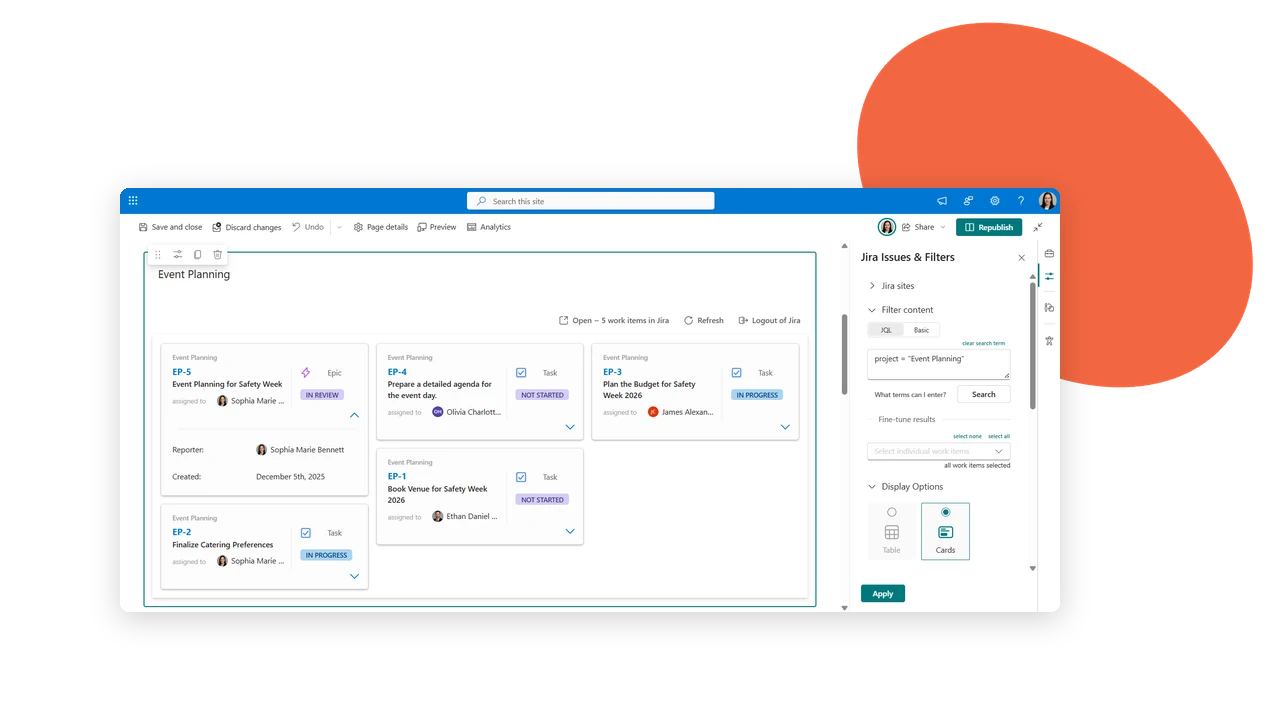
See Jira Work Inside SharePoint
View Jira issues from SharePoint as tables or cards. Narrow results with JQL or a quick search, so business and technical teams stay on the same page without switching tools.
Documents where work happens
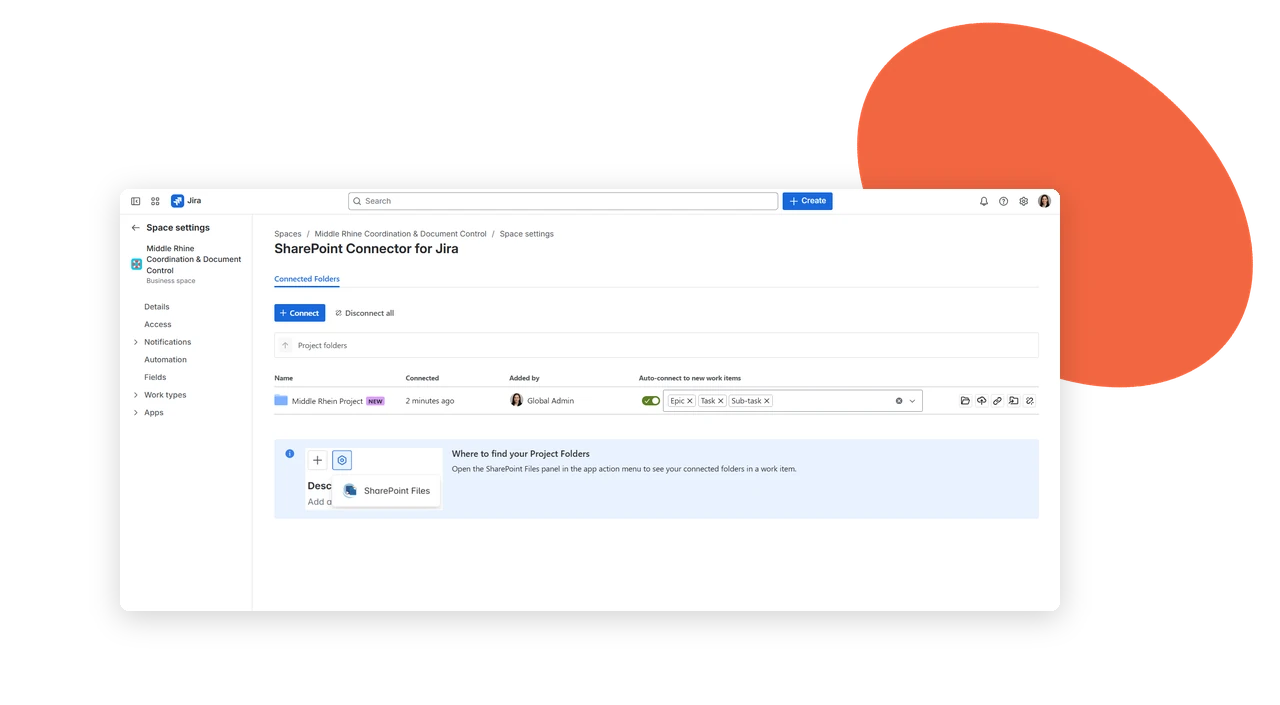
Bring SharePoint Folders Into Jira Projects
Attach SharePoint folders to a Jira project once, and every team member gets direct access to those documents from within issues. Admins manage folder linking through project settings.
Key benefits that keep work flowing
Connect SharePoint folders to Jira projects and give teams direct access to the documents they need, without leaving Jira.
Always in sync
Keep documents synced automatically, so teams never work with outdated or duplicated files.
No platform switching
Access SharePoint content directly in Jira without switching between platforms.
Documents where work lives
Use Jira as the workspace while SharePoint remains the secure document hub.
Files in context
Make important files easier to discover in the context of issues and projects.
Permissions preserved
Maintain existing SharePoint access rights while making content available where teams work.
No duplicate copies
Embed, access, and share documents without creating copies across different systems.
Where this fits into your workflow
Follow a typical document workflow and discover how teams collaborate, access files, and stay aligned without leaving Jira.
Kick off a project with documents already in place
A project lead links the client’s SharePoint folder to a new Jira project before the first sprint starts. Contracts, kickoff decks, and requirement docs are visible inside relevant issues from day one, so the team never has to ask “where’s that file?” mid-sprint.
Give support teams direct access to the docs they need
A support engineer opens a Jira ticket and finds the linked SharePoint runbook or troubleshooting guide right there, without switching tabs or messaging someone for a link. Documentation stays current because it’s edited once, in SharePoint, and reflected everywhere it’s linked.
Bridge business and engineering without new logins
A product manager working in SharePoint needs input from engineering. Instead of exporting files or granting Jira access, engineers view and comment on the same documents directly inside their issues, while the PM keeps working from SharePoint as usual.
Keep IT’s access rules intact, automatically
An IT admin sets folder permissions once in SharePoint. When that folder is linked to a Jira project, only people with existing SharePoint access can view the documents in Jira, so there’s no separate permission list to manage or audit.
