





















IT Experience Intelligence for JSM
Combine your IT operational and experience data to see clearly where to invest and what to fix first
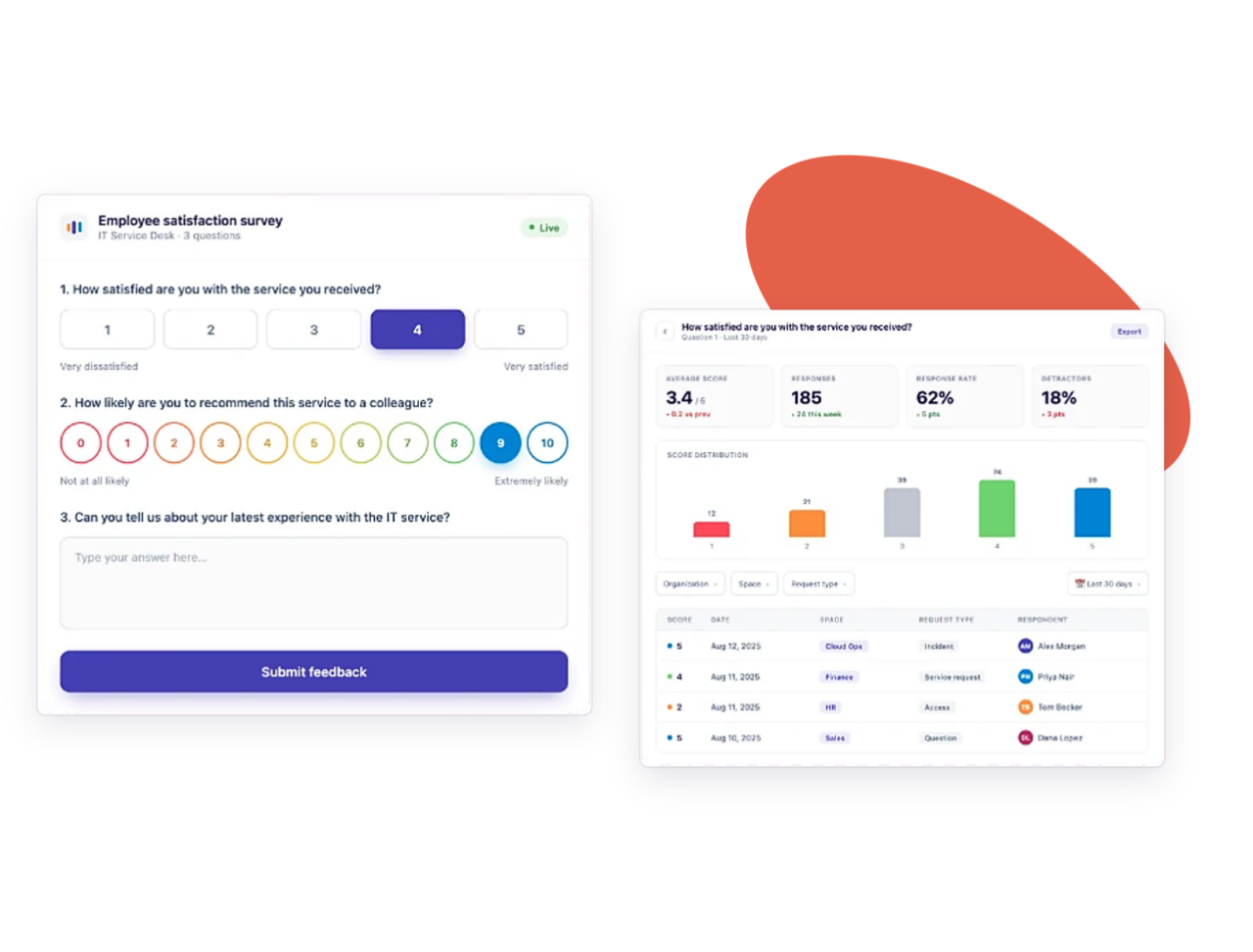
Close the gap between SLAs and reality
Beyond JSM single CSAT with multi-question, customizable surveys.
– Mix CSAT, NPS, CES, rating scales, and open text in one survey
– Trigger surveys automatically through Jira Automation
– Capture feedback right inside the ticket, while it’s still fresh
Know exactly where your IT services are falling short
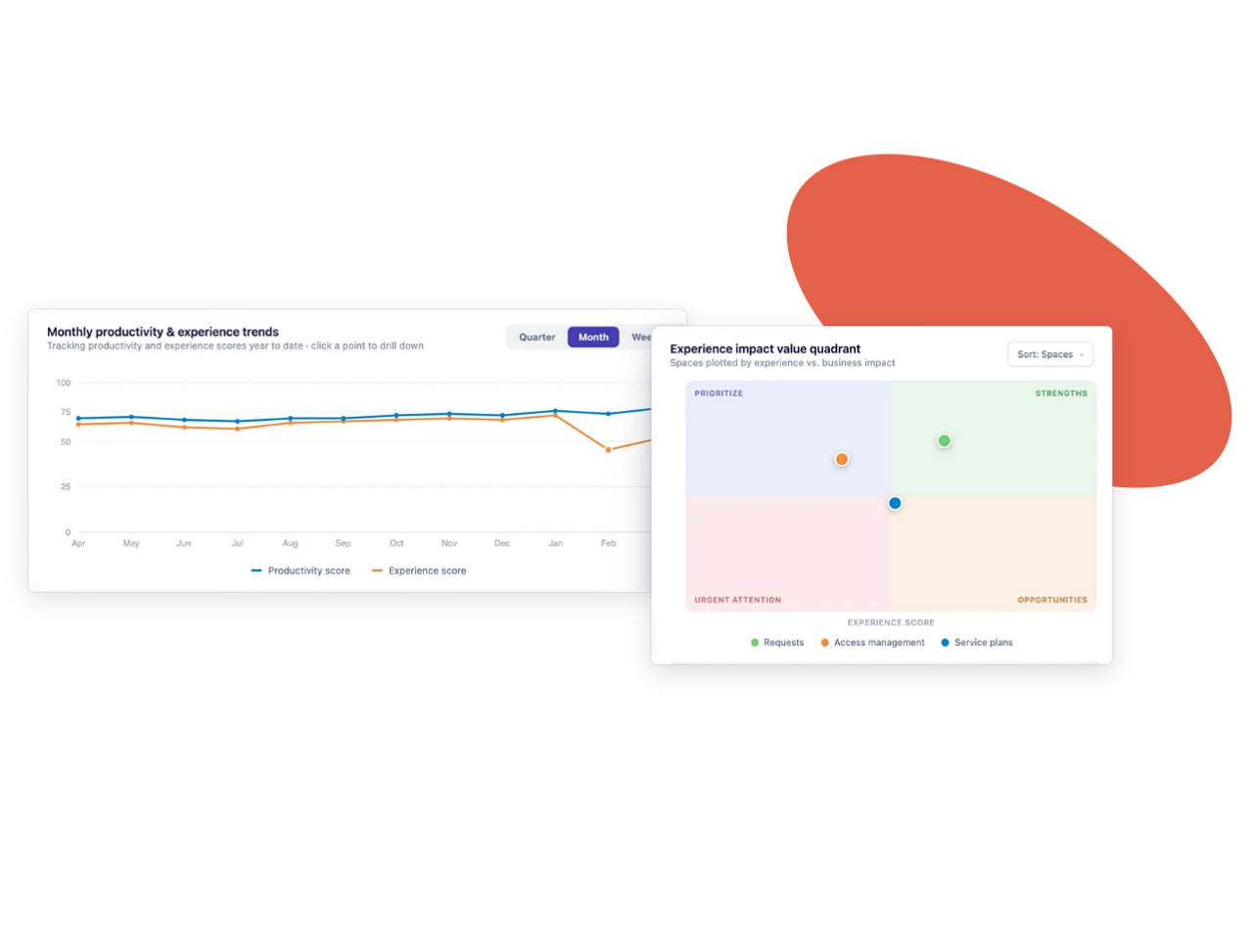
Correlation graphs bring together Experience and JSM data scores to surface the friction points your SLAs alone would never catch.
– See productivity and experience trends side by side, over time
– Spot the requests and spaces driving the biggest impact
– Drill down from a portfolio view to a single ticket
Coming soon
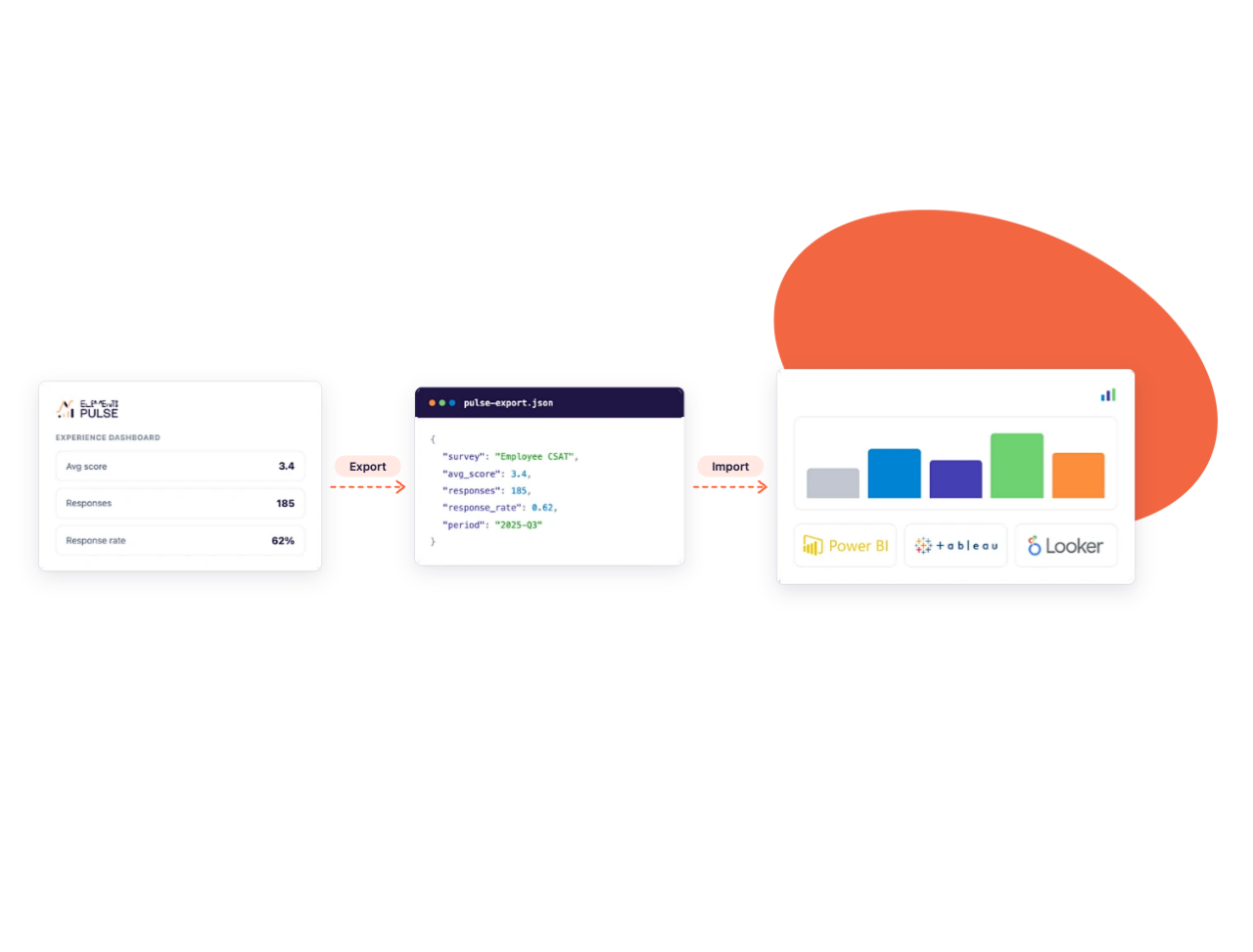
Turn insights into clear IT decisions
Export your O data and X data scores and plug them into your BI tools. Combine operational performance and employee experience that prove IT’s impact and show where to invest next.
Why IT teams measure experience in Jira Service Management
IT Experience Intelligence for Jira Service Management: measure employee experience and fix what matters first.
Fix what matters first
The Focus Area Quadrant maps productivity against experience by space, user group, organization or request type, so you know which services need urgent attention and which already deliver.
See what Jira metrics miss
Jira metrics show how fast requests are closed, not how employees feel about the service. Pulse adds their voice to your data, so you get the full picture.
Act before frustration spreads
Monthly trends show when satisfaction starts to slip, so you can step in before it turns into lost productivity.
Find the cause behind every score
Drill down from a global score to the requests and feedback behind it, and see which interactions shape how employees feel.
Drop manual reporting
No more exports or disconnected tools: JSM data and survey responses come together in one dashboard, with no spreadsheets or queries.
Enterprise-grade security
SOC 2 Type II and ISO 27001 compliant, and covered by the Marketplace Bug Bounty program.
How Jira ITSM teams use Elements Pulse
See how IT teams combine JSM operational data and survey feedback to measure the impact of major changes

Measure the impact of your move to JSM
Migrating from ServiceNow to Jira Service Management affects how employees experience IT support. Track productivity and experience scores over time to see how the migration impacts the people you serve.

Monitor your AI support agent roll-out
Rolling out an AI support agent should make getting help easier. Combine JSM operational data with survey feedback and follow trends over time to check whether it actually reduces friction for employees.