

TL;DR
Problem: Jira tickets often lack basic user details, such as manager, department or employee ID. Approvals stall and agents look people up by hand.
Solution: User Profiles for Jira (Microsoft Attributes Sync) syncs Microsoft Entra ID attributes into Jira custom fields automatically.
Benefits: Accurate user info on every ticket, faster approvals, and full admin control over which fields appear on which screens and projects.
Let’s be honest – missing user info, slow approvals, and zero automation in Jira can make even the simplest requests feel like running a marathon… uphill… in snow. Without quick access to things like job titles, phone numbers, or manager info, teams end up chasing details instead of solving issues.
Enter User Profiles for Jira (Microsoft Attributes Sync)
It automatically pulls Microsoft Entra ID (Azure AD) attributes into Jira custom fields – now including Employee ID and Employee Name – so you can stop digging and start doing.
Why Teams Love It
- Always accurate user info
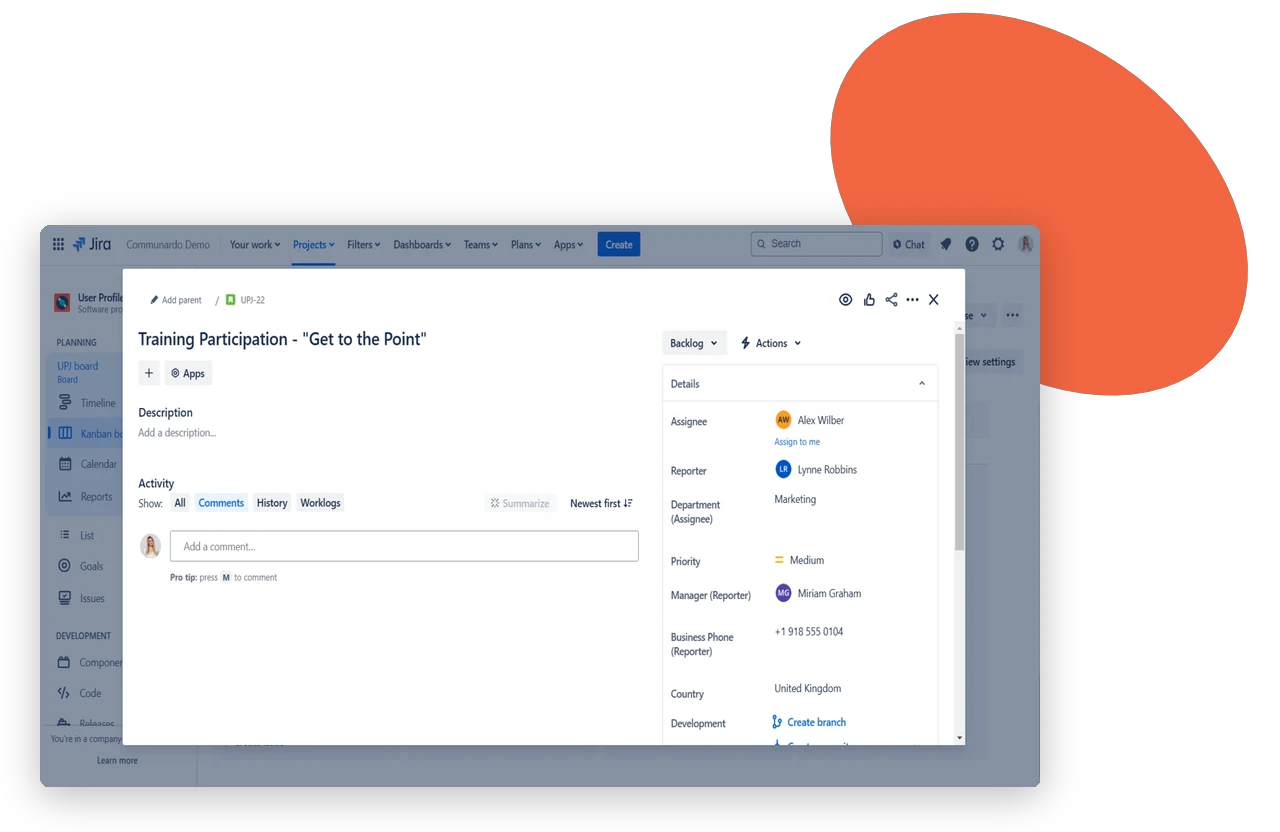
No more guessing or outdated details. Sync Employee ID, Name, Department, Manager, and more straight into Jira. Every ticket has the info your team actually needs. - Faster approvals and workflows
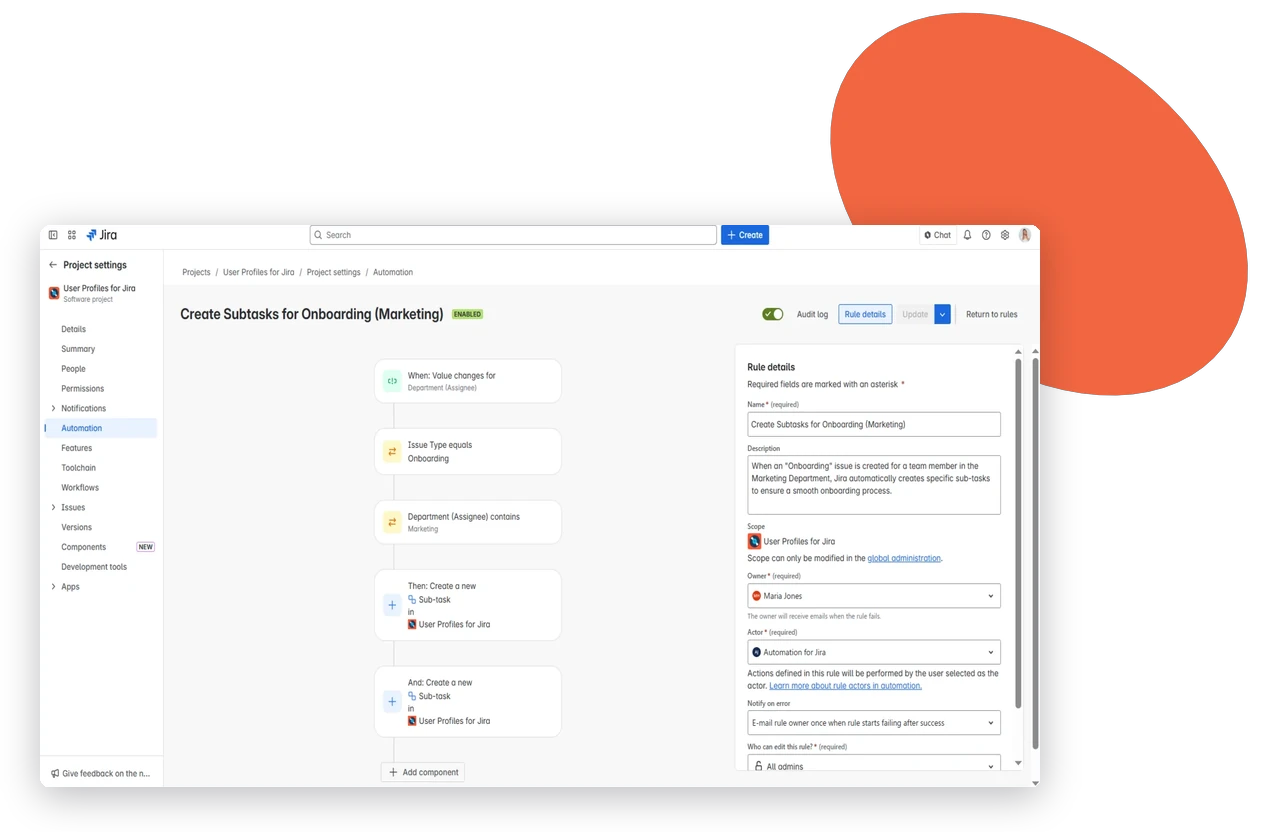
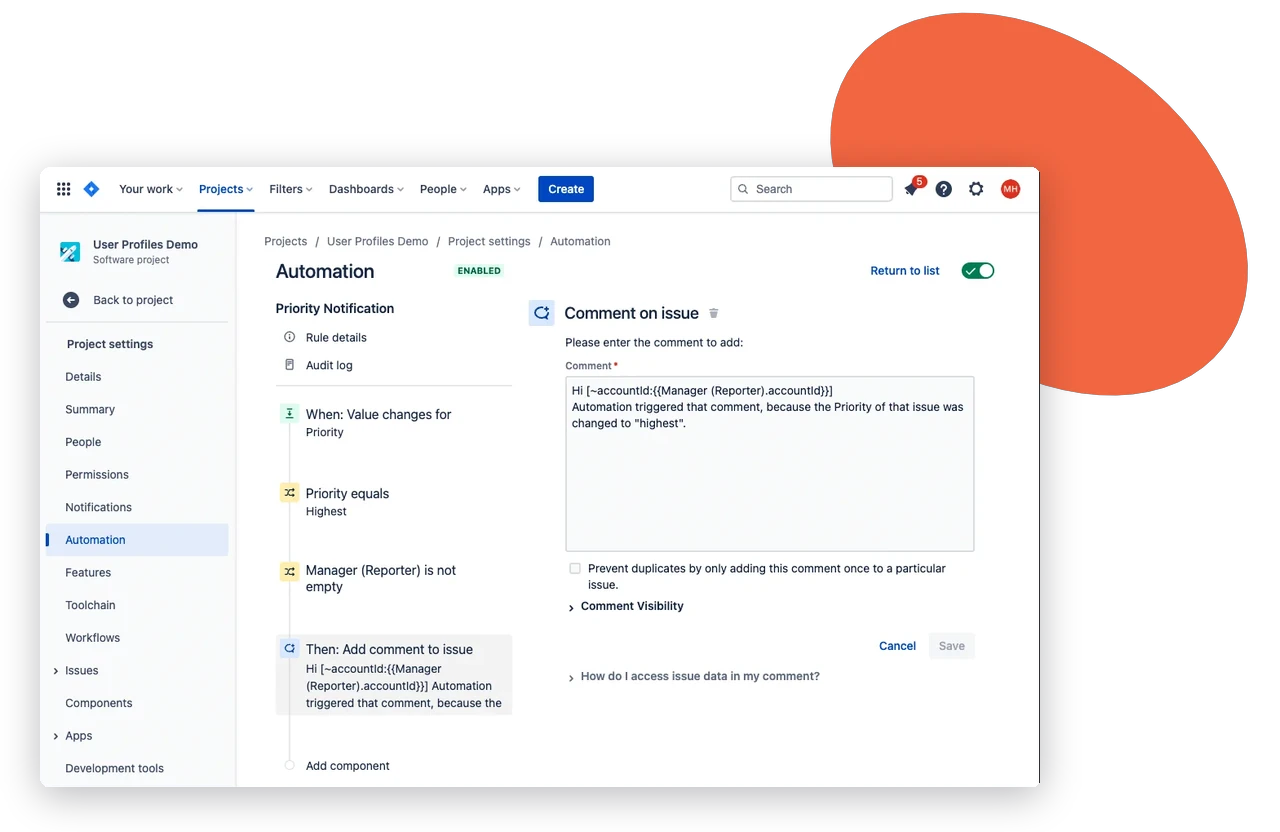
When the right info is already there, tickets move faster. No more ping-ponging back and forth asking “Who is this again?” - Flexible field control
Admins can create, edit, or remove custom fields, choose which screens or projects they appear on, and make sure updates flow where they’re needed – without extra headaches. - Setup so easy, it feels like magic
Mapping Azure (Entra ID) attributes to Jira fields is straightforward. Once it’s set up, updates sync automatically, keeping profiles consistent without admin stress.
Real Customer Impact
We’ve been using this plugin for few weeks, and it works exactly as expected. The tool provides reliable options to sync multiple fields from Azure AD directly into custom fields in Jira, which has helped us streamline our user management and reporting processes. The setup is straightforward, and the flexibility in mapping Azure attributes is a big plus. Highly recommended for teams looking to enhance Jira user profiles with Azure AD data.
D. Sedlan
With complete, accurate user info at a glance, User Profiles for Jira (Microsoft Attributes Sync) cuts down manual work, speeds up workflows, and helps your team focus on what really matters: solving issues efficiently.
Frequently asked questions
Couldn’t find what you need?
Attributes such as Employee ID, Employee Name, Department, Manager, job title and phone number. You map each Entra ID attribute to a Jira custom field.
Yes. When an attribute changes in Entra ID, the Jira field updates through the sync. You don’t have to maintain it by hand.
Yes. Admins can create, edit and remove custom fields and choose which screens and projects show them.