

TL;DR
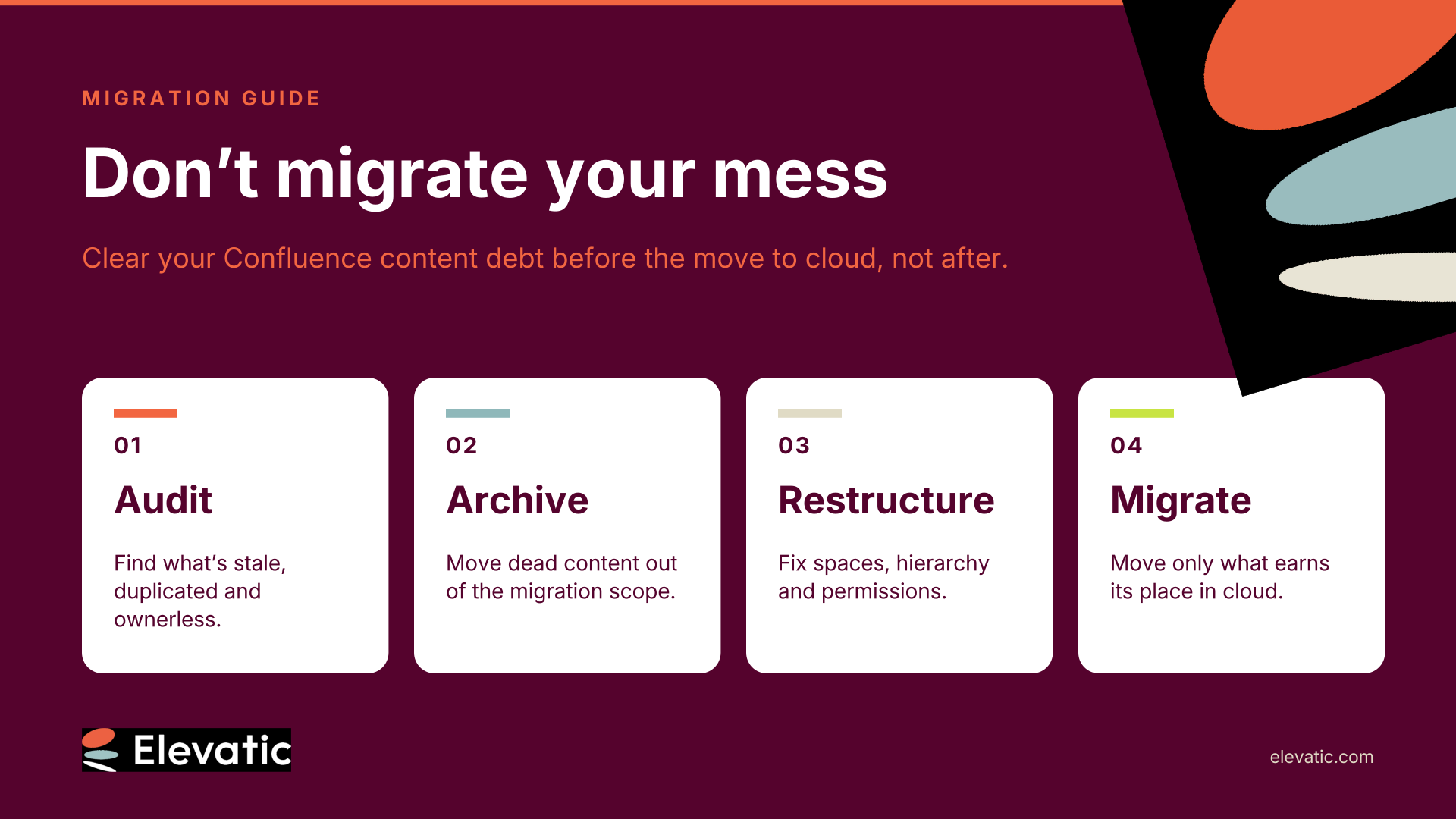
Many Confluence Data Center teams are planning their move to cloud with a single goal: get everything across before the deadline. Lifting and shifting years of stale, duplicated and orphaned pages carries that content debt into a platform where search, permissions and AI depend on content quality. Audit, archive and restructure before you migrate. You’ll move less data, get a cleaner cloud site from day one, and give Rovo something trustworthy to work with.
The migration plan is signed off. Apps are mapped, users are synced, and the test migration ran. Then the cloud site goes live, and the complaints start.
Search returns three versions of the travel policy. A 2017 project space still shows up in the page tree. Rovo confidently answers with a process the team abandoned two years ago.
None of this is a migration failure. It’s content debt, moved faithfully from one platform to another.
Understand what content debt is, and why the deadline makes it worse
Content debt is the accumulated cost of content nobody maintains: outdated pages, duplicates, orphaned spaces, unowned documentation and permission sprawl. You pay interest on it every time someone searches, hesitates or acts on the wrong page.
Atlassian’s Data Center timeline puts that debt under pressure. New Data Center subscriptions ended for new customers on 30 March 2026. On 28 March 2029, Data Center products reach end of life and become read-only. With a fixed date, the instinct is to move everything and sort it out later.
“Later” rarely comes. Once you’re in cloud, the cleanup competes with every other priority, and by then users have already formed a first impression of the new platform.
Recognize how content debt breaks search, permissions and AI
Content debt was tolerable on Data Center because people learned to work around it. In cloud, it shows up in three places:
- Search. Every stale page competes with the current one. More content means more noise, not more answers.
- Permissions. Years of ad hoc restrictions and inherited access migrate as-is. You either expose content that should be closed or lock out people who need it.
- AI. Rovo respects existing permissions, so people only see what they’re allowed to see. But it doesn’t know which page is the current, accessible one. If outdated content is reachable, it can end up in an answer.
The pattern isn’t unique to Confluence. CTERA’s 2026 analysis of enterprise file shares found that 83% of stored capacity sat in files untouched for over a year. Most organizations store far more than they use.
Audit your content before you migrate, not after
An audit answers one question: what still earns its place? Look for these signals:
- Last viewed and last updated. Pages nobody has opened in 12–24 months are candidates for archiving.
- Ownership. Pages whose creators and editors have left the company have no one to keep them current.
- Duplicates. Multiple pages covering the same process, often in different spaces.
- Orphans. Spaces or page trees with no clear purpose or team behind them.
- Heavy attachments and version history. Large files and long version chains add migration volume without adding value.
Usage data turns this from guesswork into a decision. Atlassian’s portfolio insights and Data Center analytics are a starting point. Page-level analytics such as Viewtracker show who actually reads what, and when.
In practice: Swiss e-commerce operator Webcraft AG has built up 16,000+ pages since 2011. Before moving to cloud, they used Viewtracker to find unused spaces, inactive users and pages with little recent interaction, then checked with space owners before archiving or deleting. Read how Webcraft cut its migration scope.
Decide what to keep, archive, merge or delete
Set clear rules so space owners don’t have to decide page by page:
- Keep. Content that’s current, owned and used.
- Merge. Duplicates that should become one source of truth.
- Archive. Content you need for reference or compliance, but don’t search daily.
- Delete. Drafts, test spaces and trivial content with no retention requirement.
Involve space owners early. They know which pages matter, and their buy-in prevents a “where did my page go?” backlash after go-live.
Restructure while you’re still on Data Center
Cleaning up is half the job. The other half is giving the remaining content a structure that scales:
- Space architecture. Consolidate overlapping spaces and define what belongs where.
- Page hierarchy. Flatten deep trees and give each section a clear entry point.
- Permissions. Replace individual restrictions with group-based access before you move them.
- Metadata and ownership. Assign an owner and a review date to every key page.
Restructuring before the move means your users meet the new structure on day one, instead of living through a second round of change six months later.
Make the cleanup stick after go-live
Content debt comes back if nothing changes in how teams work. Build the habits into your cloud setup:
- Use Confluence Cloud’s archiving to remove inactive pages from search without deleting them. Depending on your plan, admins can filter for inactive pages and archive them in bulk.
- Schedule regular reviews for owned content, quarterly for high-traffic spaces.
- Make ownership visible so readers know who to ask and whether a page is current.
Key Takeaway
Migration is the one moment when every page passes through your hands. Use it.
Teams that audit, archive and restructure before moving to cloud migrate less, launch cleaner and give AI a foundation it can trust. Teams that lift and shift carry their content debt into a platform that makes it more visible.
Treat content readiness as part of the migration plan, not a post-migration project.
Elevatic’s Meridian Knowledge Structure for Confluence gives you the building blocks for a cloud-ready knowledge base: clear navigation, metadata and usage insights, so your structure holds up long after go-live. Planning your move? Visit our Migration Hub or talk to our team.
Frequently asked questions
Couldn’t find what you need?
Before. Migration is the one point where every page passes through your hands, so archiving and restructuring then means you move less data and launch with a clean site. Cleanup planned for “after” competes with every other priority once the cloud site is live.
Content debt is the accumulated cost of content nobody maintains: outdated pages, duplicates, orphaned spaces, unowned documentation and permission sprawl. It shows up as noisy search, unclear access and less reliable AI answers.
It can. Rovo respects existing permissions, so people only see content they’re allowed to access, but it can’t tell which accessible page is current. If stale pages stay searchable, they can feed into answers. Archiving outdated content reduces that risk.
Start with usage signals: last-viewed and last-updated dates, page ownership, duplicates and orphaned spaces. Atlassian’s portfolio insights and Data Center analytics provide an initial view. Page-level analytics show who actually reads what.
Atlassian has set 28 March 2029 as the end of life for Data Center products, when they become read-only. New Data Center subscriptions for new customers already ended on 30 March 2026.