

TL;DR
A Confluence employee onboarding hub works only if new hires can find what applies to them and HR can see what they actually read. This story follows Alex, an HR manager, and John, a new hire, through one onboarding cycle. Alex rebuilds a scattered set of pages into a structured hub — clear navigation, tabbed weekly pages, consistent metadata — then uses engagement data to find the one module new hires were skipping and fix it. The result: fewer repeat questions for HR, a faster start for new hires, and an onboarding hub that improves every quarter instead of quietly going stale.
It’s 9:40 on a Tuesday, and Alex has already answered the same question three times.
Where do I submit my benefits paperwork?
The answer exists. It’s on a Confluence page. Actually, it’s on two pages — one from last year, one updated in spring — sitting in different spaces, under different titles. New hires don’t find either. So they message Alex.
That’s the visible cost. The hidden one is worse: Alex has no idea which onboarding pages new hires actually read. She only finds out someone skipped the policy instructions when they miss the deadline and come asking.
Alex isn’t alone. Back in 2018, Gallup found only 12% of employees strongly agreed their organization did a great job onboarding — and the pattern hasn’t gone away. The content is rarely the problem. The missing structure — and the missing feedback loop — is.
Here’s how Alex fixed both.
▶ Watch the use case in action:
Recognize why onboarding content fails new hires
Before rebuilding anything, Alex listed what was actually going wrong. Three patterns stood out:
- No single entry point. Onboarding content lived across HR, IT, and team spaces. New hires had to know where to look before they could look.
- Too many pages, too little context. IT setup, team intros, and company policies were split into separate pages with no clear order. Week 1 felt like a scavenger hunt.
- No signal on what works. Alex could see that pages existed, not whether anyone opened them.
A Confluence employee onboarding hub is a single, structured space where new hires find everything they need for their first weeks — organized by phase, role, and department — and where HR can measure which content is actually used.
That definition became Alex’s brief.
Give every new hire one clear front door
Alex started with navigation. She created a dedicated “New Hire Onboarding” space and used SubSpace Navigation for Confluence to add a site-wide menu with four top-level entries:
- Before You Start
- Week 1
- Benefits & Payroll
- Tools & Access
On John’s first day, he receives one link. He lands in the space and immediately sees the structure. No browsing unrelated spaces, no guessing which “Onboarding” page is current.
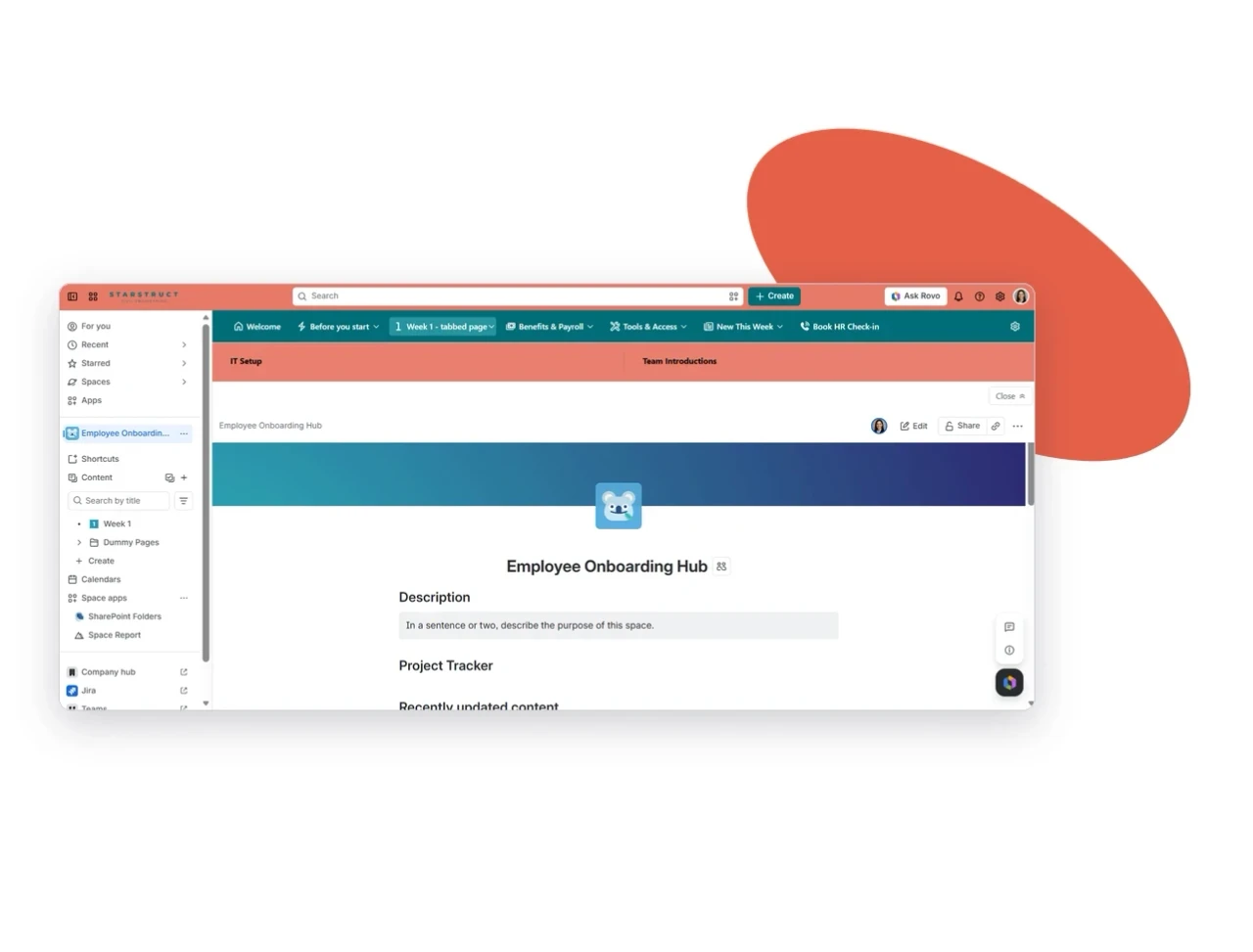
The principle: new hires shouldn’t need to understand your Confluence to use it. The menu does that work for them.
Put related content on one page, not five
Next, Alex tackled the Week 1 sprawl. Instead of separate pages for IT setup, team introductions, and company policies, she added Navitabs – Navigation Macros for Confluence tab groups to the “Week 1” page:
- IT Setup
- Team Introductions
- Company Policies
John opens “Week 1” and flips between tabs on the same page. Everything for his first week sits in one place, in a logical order, without clicking through a page tree.
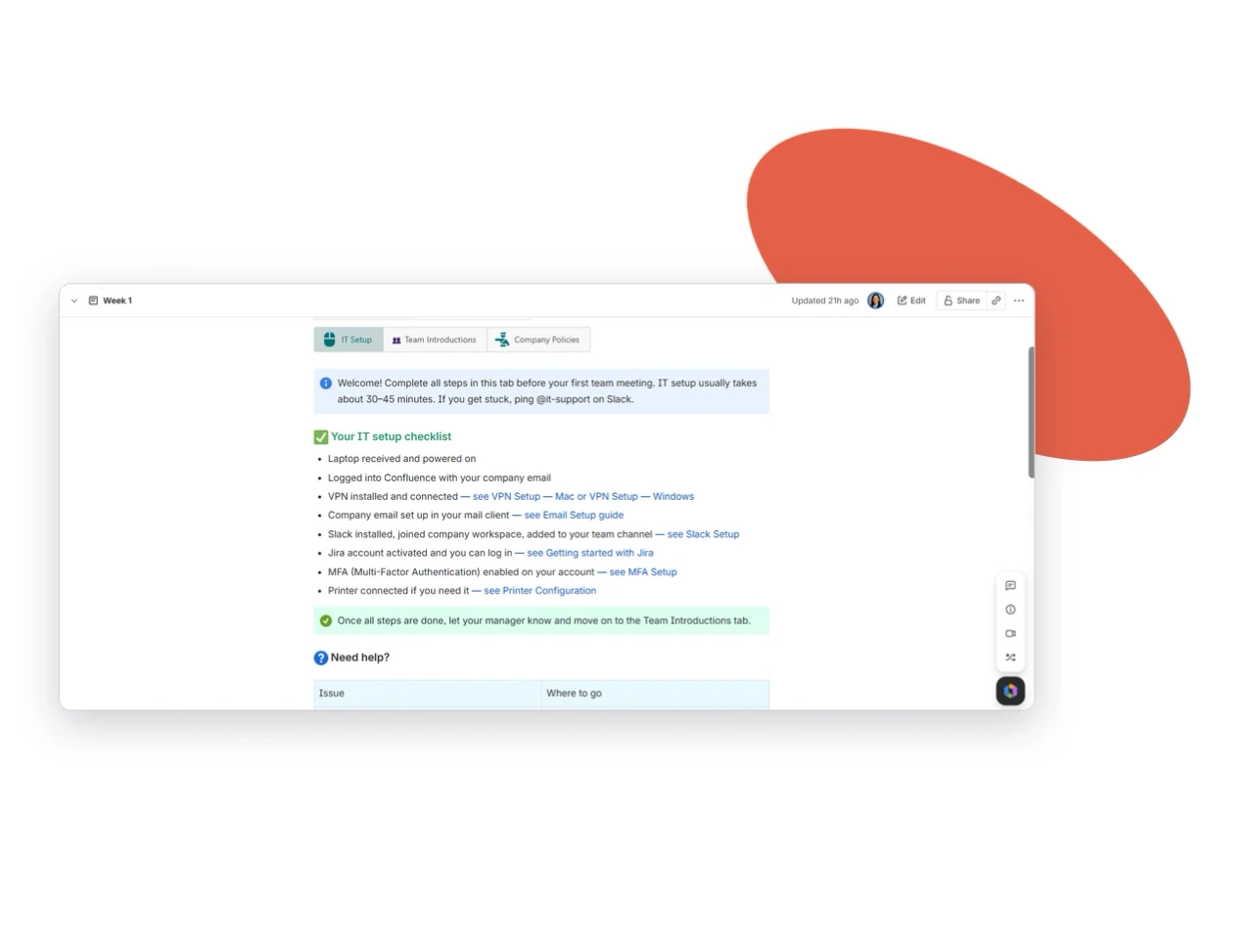
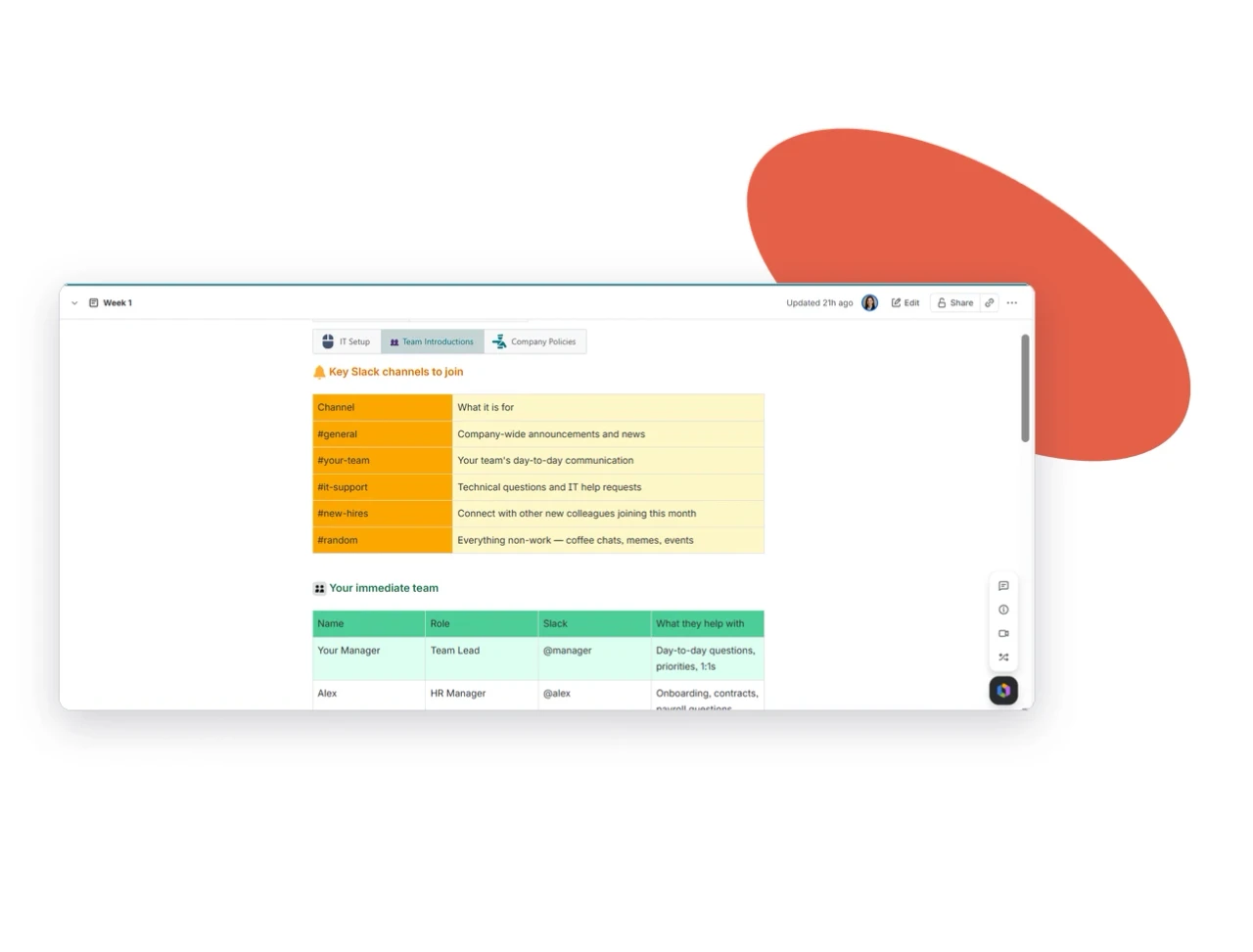
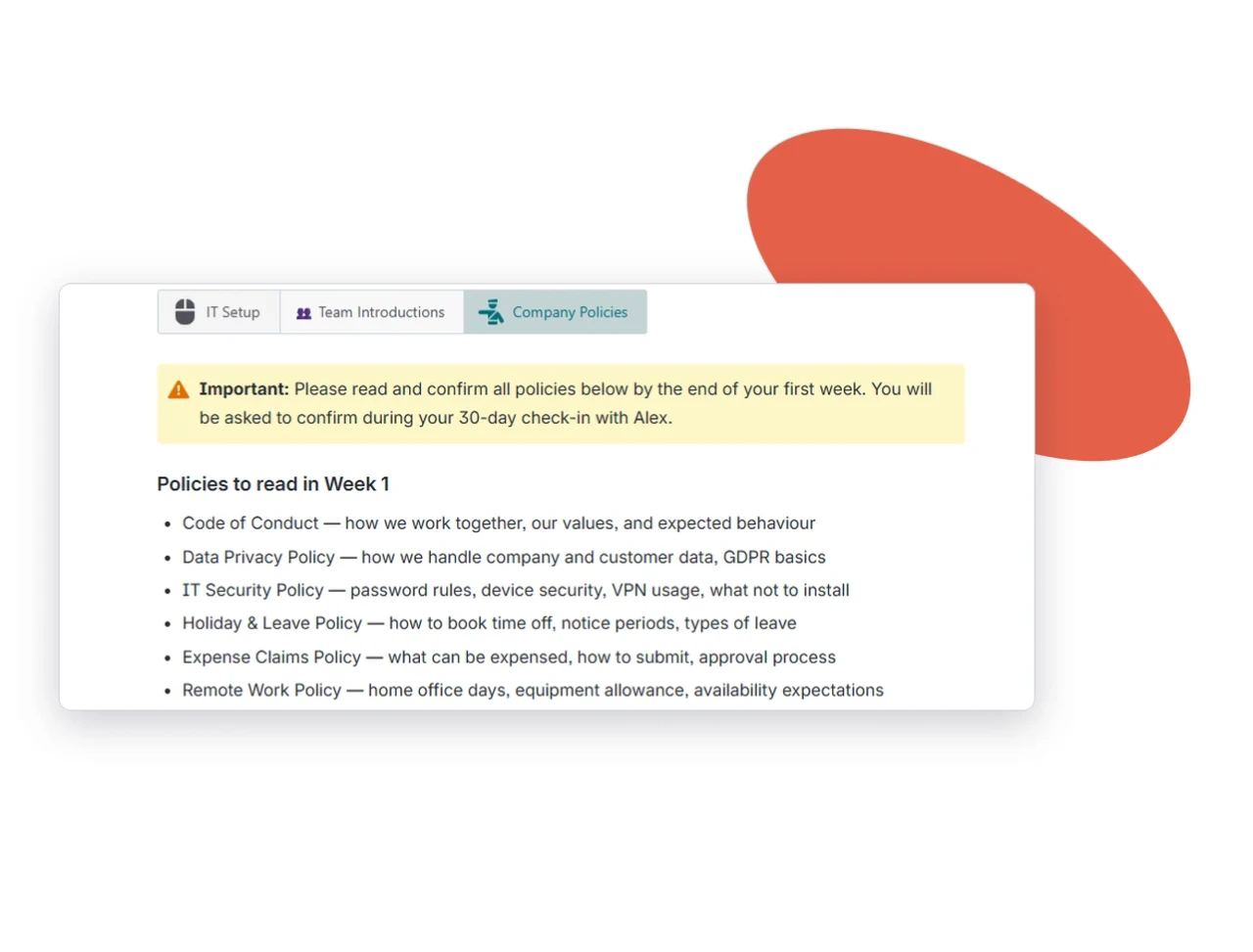
This also helped Alex. Fewer pages meant fewer duplicates to maintain — and fewer outdated copies for new hires to stumble on.
Tag every module so people see only what applies to them
A sales hire and a developer don’t need the same onboarding. Alex used Metadata for Confluence to define four fields and built them into the onboarding page template:
- Department
- Role
- Week number
- Mandatory/optional
Because every page and tab is tagged the same way, John can filter the hub down to what applies to his role and team. Alex took it one step further: a metadata-filtered “quick links” view, so each new hire sees only the modules relevant to their department.
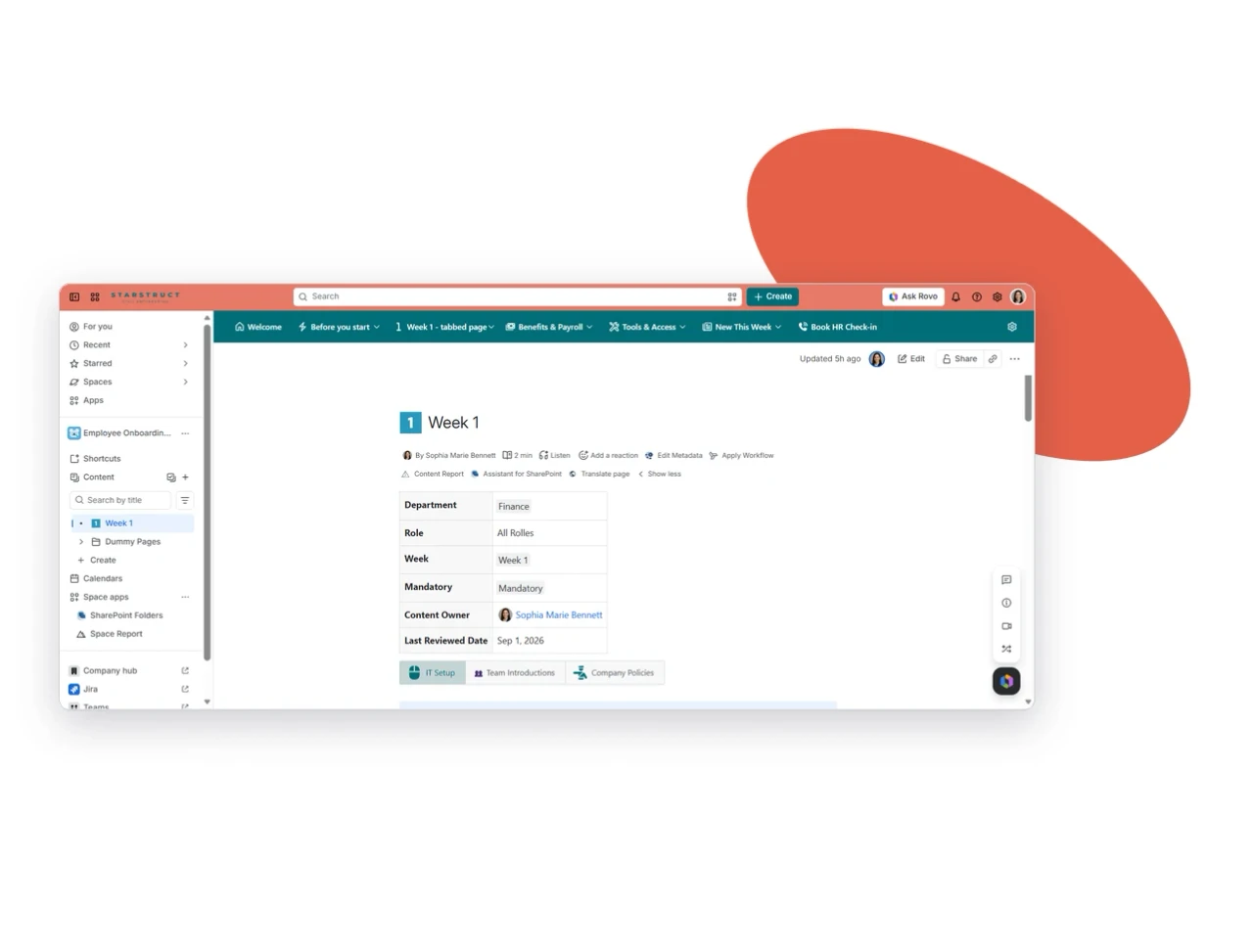
Consistency is the point. Metadata only works when it’s enforced at the template level — not added by whoever remembers.
Use engagement data to find what new hires skip
This is where the story turns.
After one quarter, 48 new hires had moved through the hub. Alex opened Viewtracker-Analytics for Confluence’s Content and Space Reports on the onboarding space to see what was actually being opened.
Most of the hub performed well:
- Week 1 – IT Setup: opened by 46 of 48 new hires (96%)
- Benefits & Payroll: 44 of 48 (92%)
- Tools & Access: 43 of 48 (90%)
- Week 1 – Company Policies: 17 of 48 (35%)
One module stood out. Company Policies — mandatory content — was being skipped by nearly two-thirds of new hires.
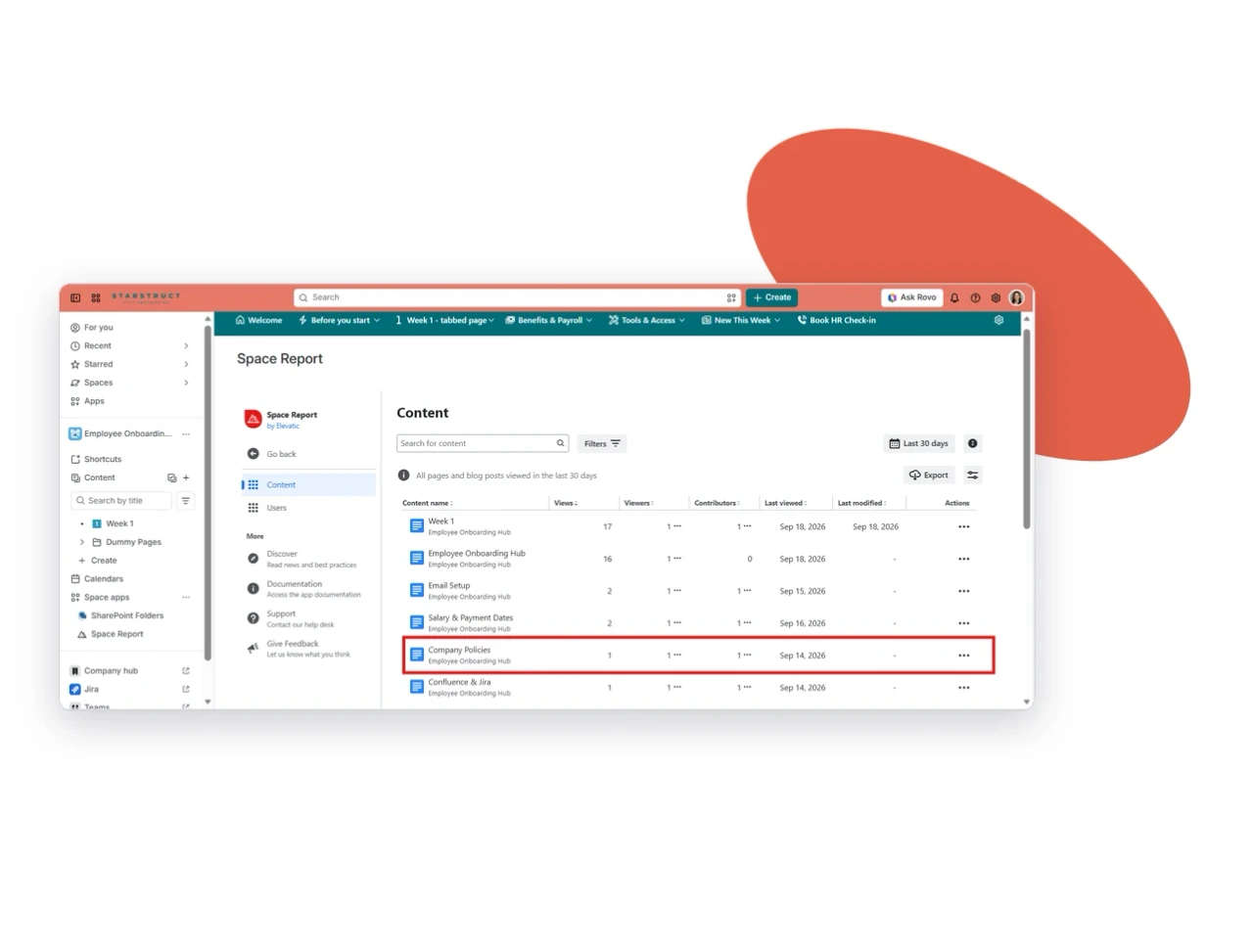
Without the data, Alex would have kept guessing. With it, she had a clear diagnosis: the tab sat last in the group, opened with a wall of legal text, and repeated content from the employee handbook.
Fix the weak spot, then measure again
Alex reworked the module based on what the numbers showed:
- Moved it up. Company Policies became the second tab, right after IT Setup.
- Led with the essentials. A short “5 policies you need in week one” summary now opens the tab, with the full text linked below.
- Removed duplication. Content already covered in the handbook was replaced with a link.
The next cohort told a different story. Of 52 new hires, 44 opened Company Policies — 85%, up from 35%. Over the same period, Alex’s repeat onboarding questions dropped from around 25 a week to under 10.
That’s the feedback loop most onboarding programs are missing: structure → measure → improve → measure again.
What changed for John and Alex
For John (and every new hire after him):
- Everything he needs for his first days is in one place, from day one.
- He finds answers himself instead of pinging HR or IT.
- He reaches full productivity faster because the path is clear.
For Alex:
- She sees, with real data, which modules are used and which are skipped.
- Her repeat-question load drops, freeing time for higher-value onboarding work like check-ins and buddy programs.
- The hub keeps improving each quarter, driven by engagement data rather than assumptions.
Key Takeaway
Onboarding content doesn’t fail because it’s missing. It fails because new hires can’t find it, and HR can’t see whether it lands.
The fix is a hub built on four layers: one clear front door, related content grouped on single pages, consistent metadata so people see only what applies to them, and engagement data that shows where to improve.
Treat onboarding as a living system, not a set of pages you publish once. Measure it, fix the weak spots, and it gets better with every cohort.
Alex’s onboarding hub runs on the four apps that make up the Meridian Knowledge Structure for Confluence: SubSpace Navigation for the front door, Navitabs for focused pages, Metadata for Confluence for consistent tagging, and Viewtracker for the data that closes the loop. It’s modular, so you can start with the layer your onboarding needs most and add the rest over time. Want to see how it would work for your new hires? Book a demo with our team.
Frequently asked questions
Couldn’t find what you need?
A Confluence employee onboarding hub is a single, structured space where new hires find everything they need for their first weeks, organized by phase, role and department. HR can also use it to measure which content new hires actually use. Instead of searching across HR, IT and team spaces, new hires get one link and a clear path from day one.
number and mandatory/optional. Build those fields into your page template so tagging is enforced every time. New hires can then filter the hub, or open a filtered quick-links view, and see only the modules for their team.
Use engagement analytics on the onboarding space to see which pages and modules each cohort opened. This shows you what new hires skip- often mandatory content like company policies- before it turns into missed deadlines. Fix the weak spot, then measure the next cohort to check that the change worked.