

TL;DR
A Confluence content audit finds pages that are unused, still read but no longer maintained, or dependent on a single author, so you can update, re-verify or archive them. Doing it by hand means exports, spreadsheets and chasing owners, which is why most teams skip it. With the Viewtracker Agent for Rovo, you ask for the audit in plain language and get a report table in seconds. This guide covers how to define “stale”, which questions to ask, how to check for single-author pages, and how to schedule the audit so it runs every month.
You search Confluence for the company travel policy and find three versions. One is marked verified, one was last edited in 2023, and one has an owner who left the company. Which one is right?
Most teams know their wiki has this problem. Few have time to fix it, because the fix (a content audit) is slow, manual and out of date by the time it’s done.
The problem isn’t a lack of data. It’s the effort it takes to turn that data into a decision. This post shows how to close that gap.
Understand what a Confluence content audit is, and why it stalls
A Confluence content audit is a structured review of pages and spaces to find content that is outdated, unused, unowned or at risk, so you can update, verify or archive it.
Manual audits stall for four reasons:
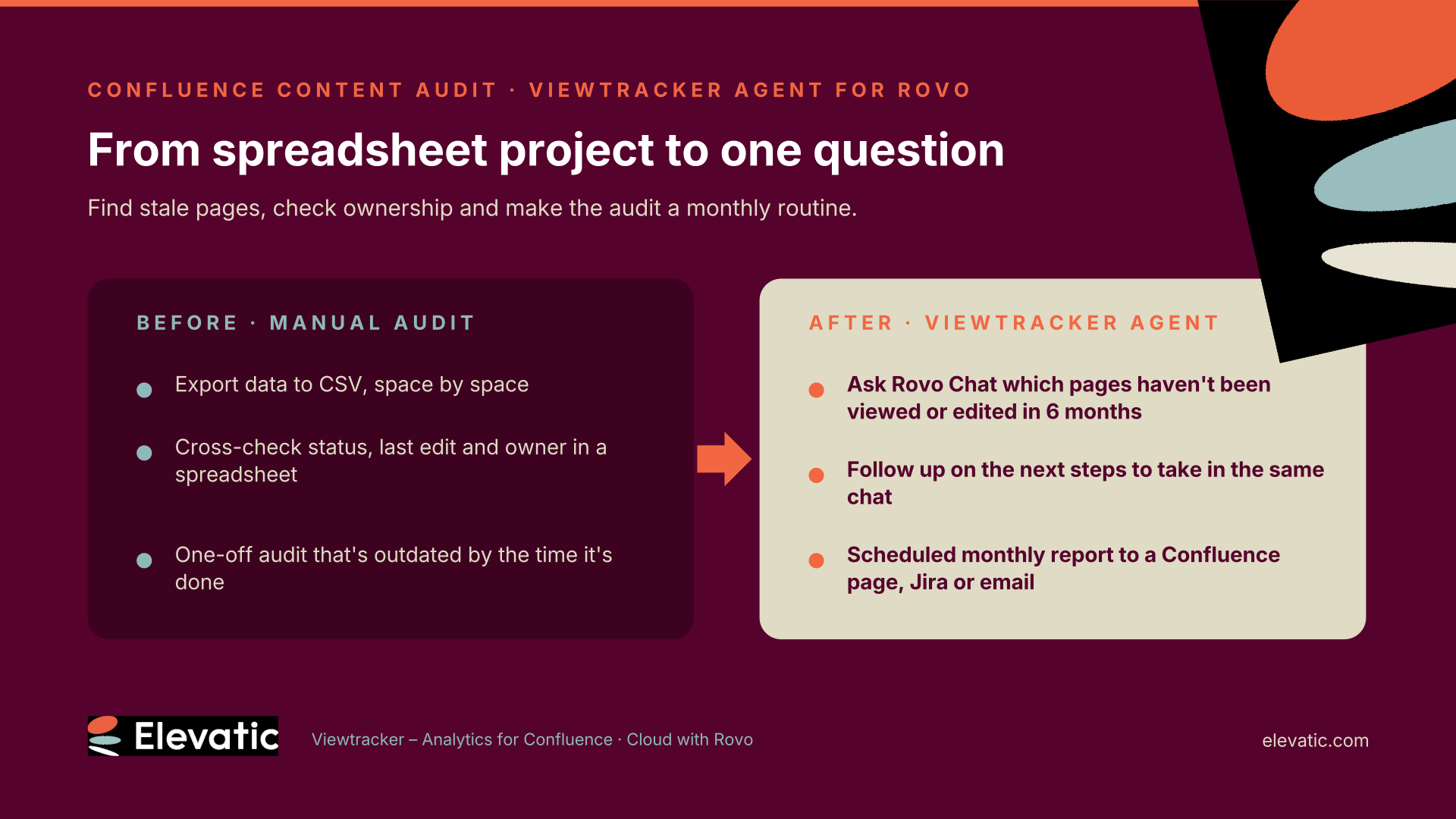
- Data collection is slow. You have to export data to view and edit it, space by space.
- Cross-checking is error-prone. Page status, last edit, last view and owner live in different places.
- Ownership is unclear. Many stale pages belong to people who have moved teams.
- It’s a one-off. By the time the audit is finished, it’s already out of date.
Define what “stale” means before you start
An audit is only as good as its criteria. Agree on them first:
- No activity: no views and no edits in a set period. Six months is a common starting point.
- Used but not maintained: pages people still read that nobody has edited in a long time. These are the most dangerous, because people trust them.
- Forgotten drafts: pages still in draft status that nobody has touched in 90 days.
- Single-author risk: important pages with only one contributor.
These criteria translate directly into questions you can ask.
Ask the Viewtracker Agent for the audit instead of building it
The Viewtracker Agent is a Rovo Chat agent that ships with Viewtracker – Analytics for Confluence. Open Rovo Chat, select the agent and ask a question. It returns a report table built from Viewtracker usage data and Confluence data. If you’re already in a space or on a page, it uses that as context.
Behind the scenes, the agent uses its Content Lifecycle Status skill to filter content by native Confluence status and by view and edit activity, one space per request. You can keep asking follow-up questions to narrow the list or get suggested next steps.
Check who depends on the page, not just who reads it
Traffic tells you what’s unused. It doesn’t tell you what’s fragile.
Start with the pages from your “viewed but not edited” list. To see which of them matter most, ask for the top performing content in the space and send the most-read ones to their owners for re-verification first.
For the pages that matter (processes, policies, onboarding), ask who contributed to them. The Content Contributors skill shows who edited an item and how often, which makes single-author dependencies visible before the author moves on.
A simple rule: if a critical page has one author, assign a second owner as part of the audit.
Turn the audit into a monthly routine
A one-off audit decays. A recurring one keeps the wiki healthy.
You can schedule any Viewtracker Agent prompt with Atlassian Automation using two linked flows: one scheduled flow that sends the report request and one that receives the result and delivers it as a Confluence page, a Jira work item or an email. The setup takes about five minutes.
Example: on the first of every month, a page in each team space lists all pages without views or edits in the past six months, ready for the space owner to review.
One tip: name every parameter in a scheduled prompt (space, date range, content type, filters). Inside an automation, the agent can’t ask you to fill in what’s missing.
Know the guardrails
AI-generated reports are only useful if you can trust them. The Viewtracker Agent is built around that:
- No invented data. It reports only what Viewtracker and Confluence return. It won’t estimate a missing number or fill a gap with a zero, and it tells you which defaults it applied.
- Permissions are inherited. People only get reports for content they can already access.
- Privacy settings apply. Viewer-level reports follow the privacy mode set in Viewtracker.
- Known limits. Custom date ranges in the agent are capped at 365 days, data starts from the date Viewtracker was installed, and lifecycle reports cover one space per request. Viewtracker itself keeps your full history; see how it compares in our Viewtracker vs. Confluence Analytics comparison.
Key Takeaway
Stale content isn’t a storage problem. It’s a trust problem. Every outdated page that ranks in search, or feeds an AI answer, makes people trust the whole wiki a little less.
The audit has always been the fix. What changes now is the effort. When the audit is a question rather than a project, you can do it every month instead of every other year.
Treat content health like any other operational metric: define it, measure it and review it on a schedule.
Frequently asked questions
Couldn’t find what you need?
A structured review of Confluence pages and spaces to find content that is outdated, unused, unowned or at risk, so it can be updated, verified or archived.
Monthly reporting with a quarterly clean-up works well for most teams. Scheduled reports automate the monthly part.
A Rovo Chat agent for Confluence Cloud that ships with Viewtracker – Analytics for Confluence (version 8.0.0 or later). It turns Viewtracker usage data into report tables based on plain-language questions.
No. You need view access to the content or space and access to Viewtracker’s Space and Content Reports. Scheduling also requires access to Atlassian Automation.
No. The Viewtracker Agent is available only for Confluence Cloud with Rovo.
Is viewer data visible to everyone?
No. Reports follow existing Confluence permissions and the privacy mode configured in Viewtracker. In extended privacy mode, the viewer and non-visitor reports aren’t available.
Yes. Ask for content with views but without edits in a given period (up to 12 months), optionally filtered by content status. Combine the result with Top Performing Content to prioritize the most-read pages for re-verification.
Ready to make content audits a routine instead of a project? Viewtracker – Analytics for Confluence brings the Viewtracker Agent straight into Rovo Chat, with no dashboards to build or CSVs to export. Start a free trial or talk to our team to see it in your own spaces.