

TL;DR
Problem: Files live in SharePoint, and collaboration happens in Confluence. Without a connection, teams download, re-upload and duplicate content.
Solution: SharePoint Connector for Confluence embeds SharePoint and OneDrive files, folders and lists directly in Confluence pages.
Key features: Custom list columns, multi-file carousels, folder navigation (“Jump to Parent Folder”), and a refreshed, faster UI.
Result: One source of truth, no system switching, and no outdated copies.
For a global manufacturing company, SharePoint and Confluence were like two well-stocked libraries sitting on separate islands. SharePoint stored critical files, while Confluence served as the everyday collaboration workspace. But without a bridge between them, employees had to take long detours, downloading, re-uploading, or duplicating content, just to get their work done. The result was wasted time, scattered knowledge, and growing frustration across teams. The company needed a way to connect the two by making SharePoint documents directly accessible in Confluence.
To solve this challenge, the company needed more than just a shortcut; they needed a bridge strong enough to connect their two knowledge islands. That bridge came through integration.
Improving Collaboration Through Integration
Once SharePoint documents became accessible directly within Confluence, daily work changed immediately. Teams no longer had to switch between systems, waste time hunting down files, or worry about whether they were viewing the latest version. Knowledge was available where and when it was needed, making collaboration smoother and reducing frustration.
Despite that, for the company’s in-house IT consultants, this integration was essential to improve user experience and workflows. SharePoint Connector for Confluence is designed to further improve how teams work with SharePoint content in Confluence.
Disconnected tools cost more than time. We explain why in the hidden cost of “almost integrated” enterprise systems.
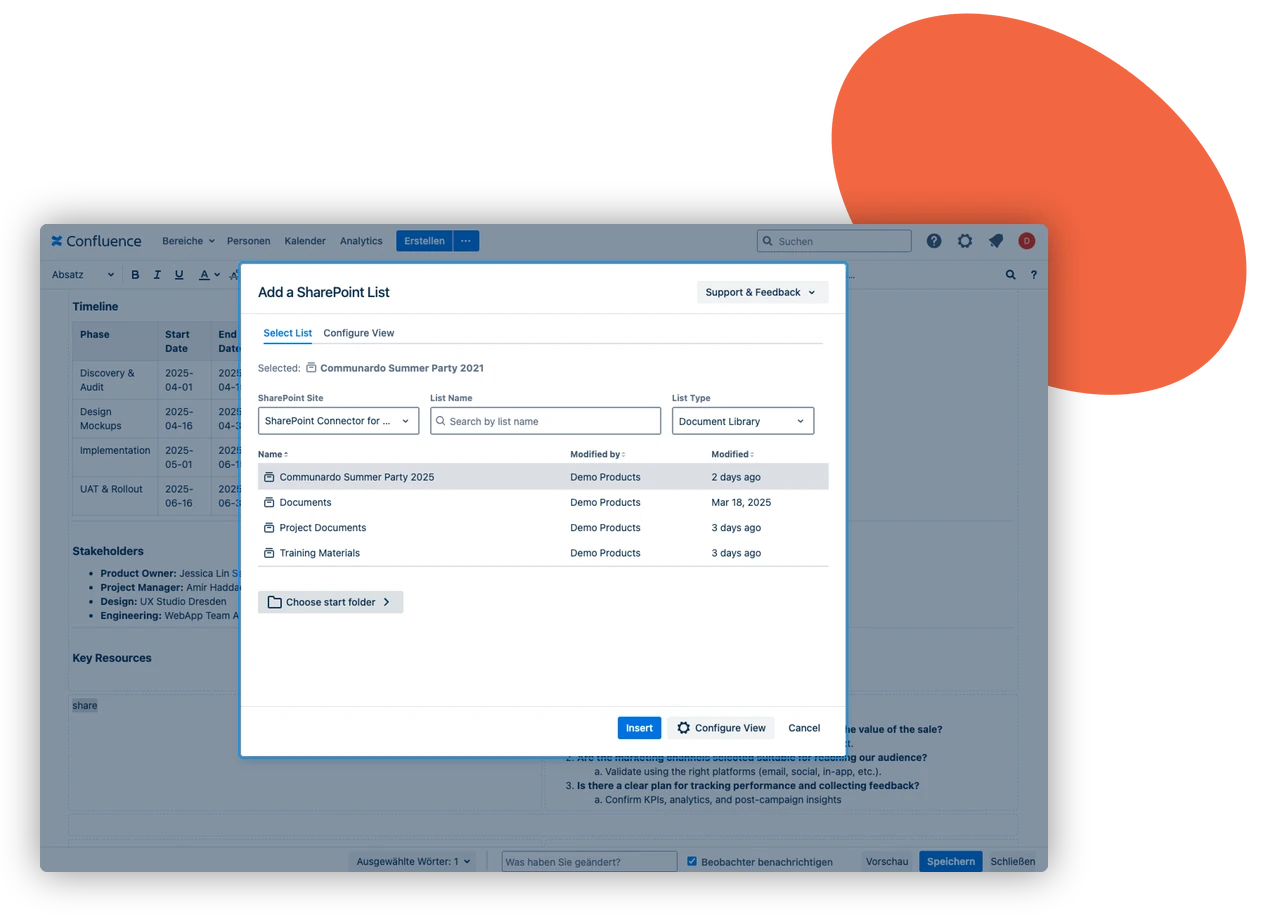



Key improvements include:
- Custom column configuration to display only relevant SharePoint list and library fields, eliminating clutter and improving clarity.
- Multiple file embedding in a scrollable carousel to bring visual structure to documentation.
- ‘Jump to Parent Folder’ navigation for faster movement through complex directory structures.
Combined with a refreshed user interface and faster performance, these upgrades significantly improved usability and responsiveness, turning practical collaboration needs into intuitive, high-value functionality.
Making it a company-wide standard
The integration is now a company-wide standard. New employees are trained during onboarding to store files in SharePoint and embed them in Confluence. It has become a core part of the organization’s digital workplace and documentation process.
Key Benefits
- Single source of truth – Information stays synced between platforms, reducing confusion and duplication.
- Improved navigation – Features like carousels, multi-file embedding, and folder navigation make document access more intuitive.
- Enhanced user experience – Visual and functional updates help users locate and access documents faster and more accurately.
This SharePoint and Confluence integration has made everyday work easier for teams across the company. Document storage and sharing are now more organized, and everyone knows where to find the information they need.
Need SharePoint documents in Jira too? Explore Meridian Documents Integration for Atlassian.
Frequently asked questions
Couldn’t find what you need?
With SharePoint Connector for Confluence, you search SharePoint and OneDrive from the Confluence editor, select the files, and choose whether to embed them or insert them as links.
Yes. Multiple files can be embedded in a scrollable carousel, so related documents sit together in one place.
Yes. Besides SharePoint sites, you can browse My OneDrive and files shared with you.