




















Include from Bitbucket to Confluence (Markdown, AsciiDoc)

Include files, pull requests, and other data from public or private Bitbucket repos, right inside Confluence. Supports Markdown, AsciiDoc, Mermaid, PlantUML and more.

Keep Your Documentation Connected to Bitbucket

Embed up-to-date Bitbucket content directly in Confluence pages, files, diagrams, code, and project data, kept in sync automatically, no copy-pasting required.
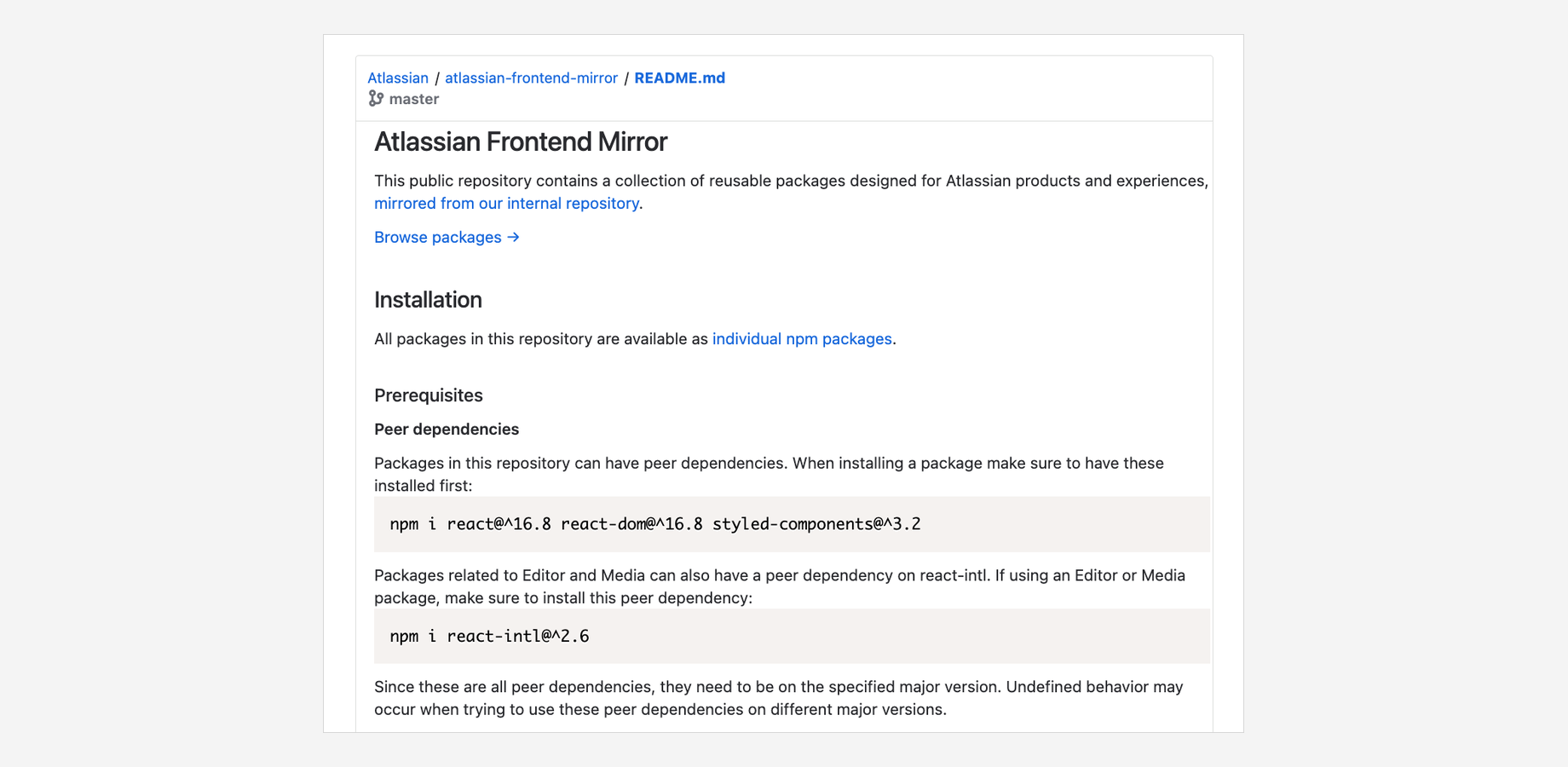
Easily embed up-to-date Bitbucket file content

Include Git content securely from Bitbucket Cloud and Data Center. Share up-to-date files, diagrams, code, images, and more just by pasting the file URL into a page. Markdown, AsciiDoc, Mermaid, and PlantUML files are automatically rendered as HTML, with syntax highlighting for source code.

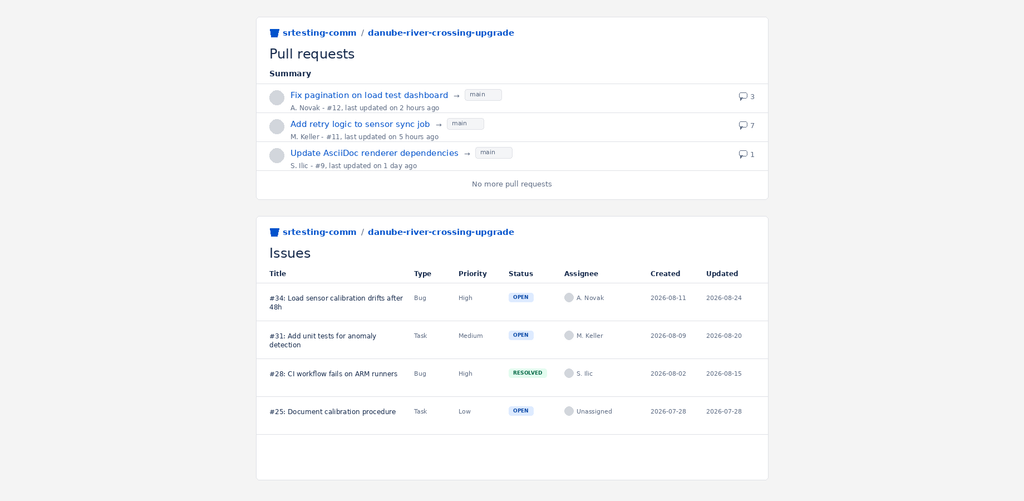
Create project dashboards with Bitbucket data

Use Confluence as a project dashboard by including Bitbucket data like pull requests, commits, tags, and branches. Filtering and sorting options let you tailor the dashboard view to your team’s needs.
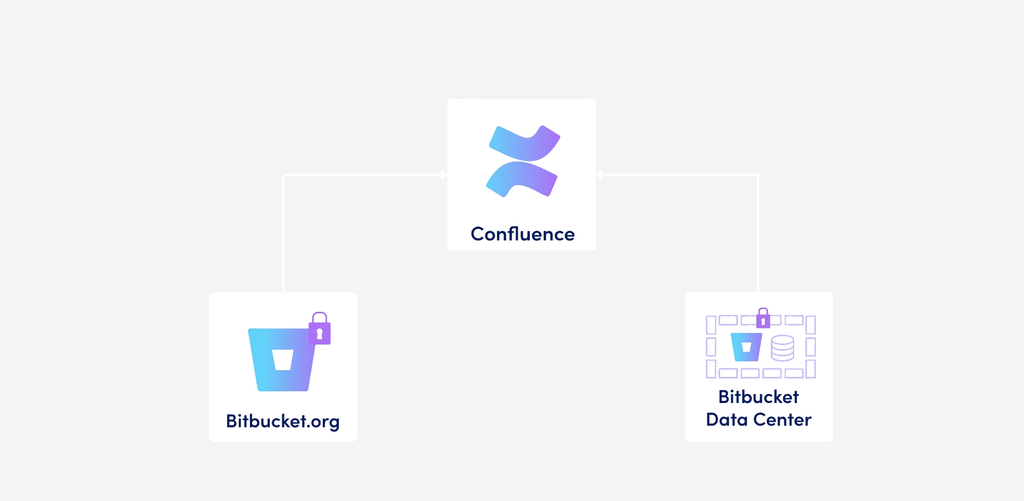
Supports Bitbucket Cloud & Data Center, even behind a firewall

Connect Confluence to either Bitbucket Cloud (via OAuth 2.0 or shared authentication) or Bitbucket Data Center (via access tokens). Even supports Bitbucket instances behind a firewall by providing a static IP that can be allowlisted.

Why use Include from Bitbucket to Confluence?

Include from Bitbucket to Confluence keeps documentation, code, and project data connected, so your Confluence pages never go stale. Reduce duplication, speed up reviews, and give your team one place to see what’s happening in Bitbucket.

Simple inclusion, no duplication

Just copy and paste a Bitbucket URL into a page, the macro does the rest. No manual copy-pasting of file content that goes out of date.

Rich file rendering

Markdown, AsciiDoc, Mermaid, and PlantUML files render as proper HTML with syntax highlighting, PDF/Word export, and Scroll Viewport compatibility.

Built for Bitbucket, cloud or on-prem

Works with Bitbucket Cloud and Bitbucket Data Center, public or private repos, with support for firewalled/
on-prem setups via a static, allowlist-able IP, no need to expose your instance to the open internet
  • It’s a very good app, it helps us a lot to keep our code safe and clean. And the support is excellent!

    Nicolas Esteves
  • Very helpful customer support! I definitively recommend this plugin, it’s reall filling the gap perfectly between bitbucket and sonarqube. A must have!

    Lucas Opara
  • Seamless integration with SonarQube in pull requests, and great support!

    Nathan Clement
  • Great app! It helps us with following code quality standards. You can also review Sonar’s issues in the pull request diff, which is very handy.

    Alexander Okulovich [Stiltsoft]
  • As a partner, we use Include Code across several projects and are very satisfied with the solution. The integration with Bitbucket is smooth and helps improve code quality directly within pull requests. The support team is responsive, professional, and always attentive to our needs. A reliable and efficient solution that we confidently recommend. — Dione Technology

    Caroline Ternon

Frequently asked questions

Couldn’t find what you need?

  • To set up a SonarQube™ server, you can either use global or project-level permissions, depending on the permission scope you want to allow and the features you want to use.

    Global permissions

    You need an Administer System permission in order to benefit from all the app features and to be able to use an automatic webhook for the app to receive scan results from SonarQube™.

    Project permissions

    You can restrict permission to the project level by granting your user the Browse permission. However, this means you have to set up a manual webhook when configuring your server.

    Browse permission does not allow you to perform any action other than reading results (such as resolving an issue or marking an issue as a duplicate). In order to be able to perform these actions, you need to add the Administer Issue permission. You also need the Administer Hotspot permission to allow users to change hotspot status.

  • Using REST API

    1. You can check which repositories are using the app actively by iterating over all your repositories in Bitbucket with GET /rest/api/latest/repos: https://developer.atlassian.com/server/bitbucket/rest/v804/api-group-repository/#api-api-latest-repos-get
    2. Calling the app’s REST endpoint for each repository by

    and checking for the property sonarEnabled in the response:

    {
      project": {
        "sonarEnabled": true,
        ...
      }
    }
    

    Using Database

    The table of the repo’s Sonar configuration is called AO_C716BC_REPO_CONFIG001 .

    Query for the entries where Sonar is enabled:

    select * from "AO_C716BC_REPO_CONFIG001"
    where "SONAR_ENABLED" = TRUE
    

    To get the repository with enabled Sonar configuration:

    select  PROJ.PROJECT_KEY, REPO.SLUG, * from "AO_C716BC_REPO_CONFIG001" as SONAR
    join "repository" as REPO on REPO.ID = SONAR."REPO_ID"
    join "project" as PROJ on PROJ.ID = REPO.PROJECT_ID
    where "SONAR_ENABLED" = TRUE
  • Yes, you can restrict the app to show only analyses for branches whose names match a specific pattern.

    Follow these steps:

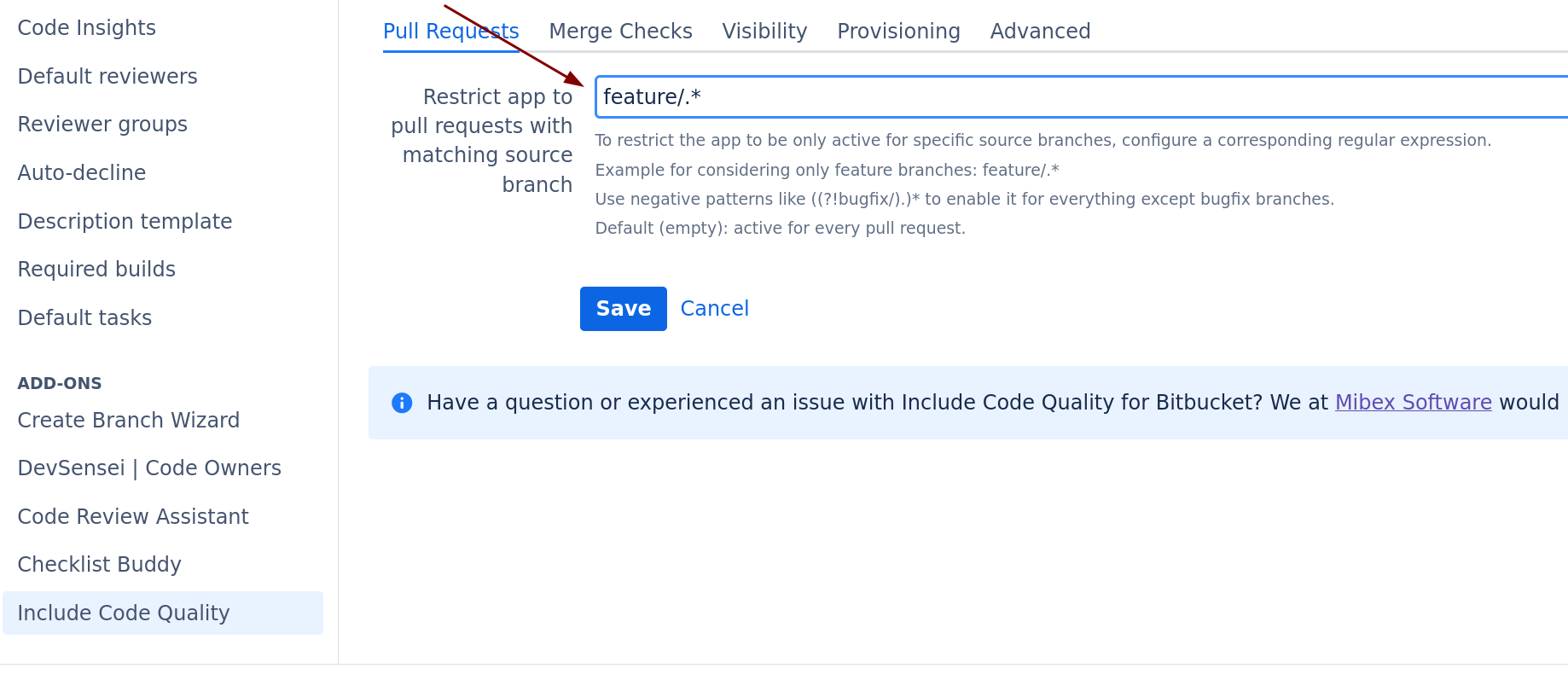
    1. In Bitbucket, go to your repository settings → Include Code Quality and click on “Use custom Repository settings”.
    2. In the field “Restrict app to pull requests with match source branch”, add the regex you want analyzed branches to match.
    image-20240826-151548.png
  • There are usually two causes for that:

    1. The user token configured in the Sonar Server mapping does not have the necessary browsing rights to see the projects
    2. Some indices are corrupted in SonarQube’s database. You should try to reindex the database.
  • We provide detailed documentation on how we process personal data and how you can configure privacy settings to meet your organization’s requirements.

    Please refer to these sections for more information:

    • Privacy Policies: Our central Privacy Policy page explains our general approach to data protection and GDPR compliance.
    • Subprocessors: A current list of all third-party service providers we use is available on our Trust Center.

    For further inquiries regarding data protection or to request a Data Processing Addendum (DPA), please contact our Customer Support Team.

  • Information regarding the security measures, infrastructure, and compliance standards for our apps is centralized in our Trust Center and specific documentation pages.

    To find the details you need, please refer to the following resources:

    • General Security Overview: Visit our Trust Center for information on encryption, infrastructure, and certifications.
    • Data Residency: For details on where your data is stored and how to pin it to specific regions, see Data Residency for Elevatic Cloud apps.
    • App-Specific Security: Every app listing on the Atlassian Marketplace contains a Privacy & Security tab with a standardized security questionnaire.

    If you have specific security requirements or need a security whitepaper, please contact Customer Support.

Let’s make Atlassian
work better for your team

Our apps connect Confluence, Jira and Bitbucket with the tools you already use, like Git, Microsoft 365 and SharePoint.
Tell us what you need and we’ll help you find the right solution.