




















Jupyter Viewer for Confluence

Render Jupyter notebooks directly in Confluence with an intuitive macro so you can visualize data, explain code, and more with the whole team, without external tools.

Bring Your Notebooks Into Confluence

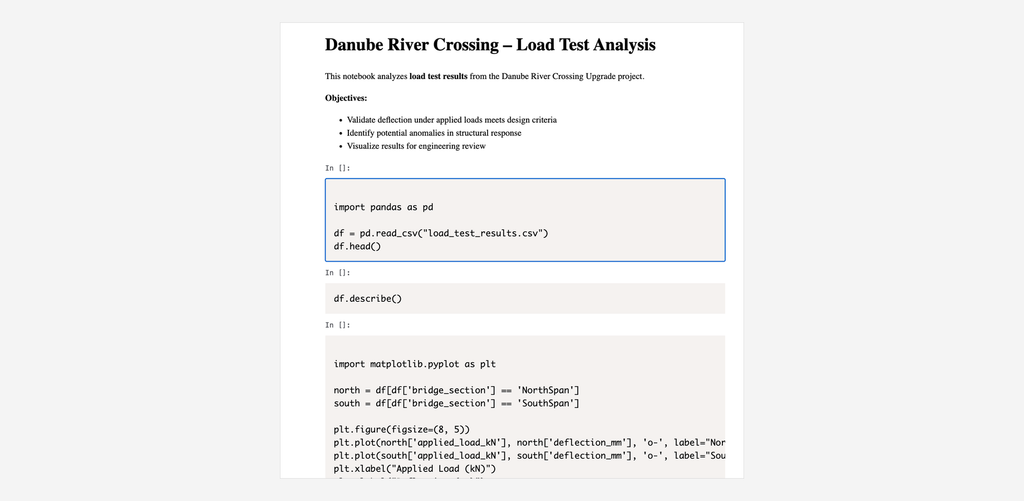
Render Jupyter/IPython notebooks: code, outputs, plots, math formulas, and markdown, directly inside Confluence pages. No exporting, no screenshots. Confluence has no native support for .ipynb files. Jupyter Viewer renders them properly, wherever your notebooks actually live.

Renders Jupyter notebooks incl. math, plots & code

Include Jupyter notebooks from a URL , GitHub, GitLab, Bitbucket Cloud or Data Center, Dropbox, or any public link, just by pasting it into a page. Or attach the .ipynb file directly to the Confluence page and render it in place.
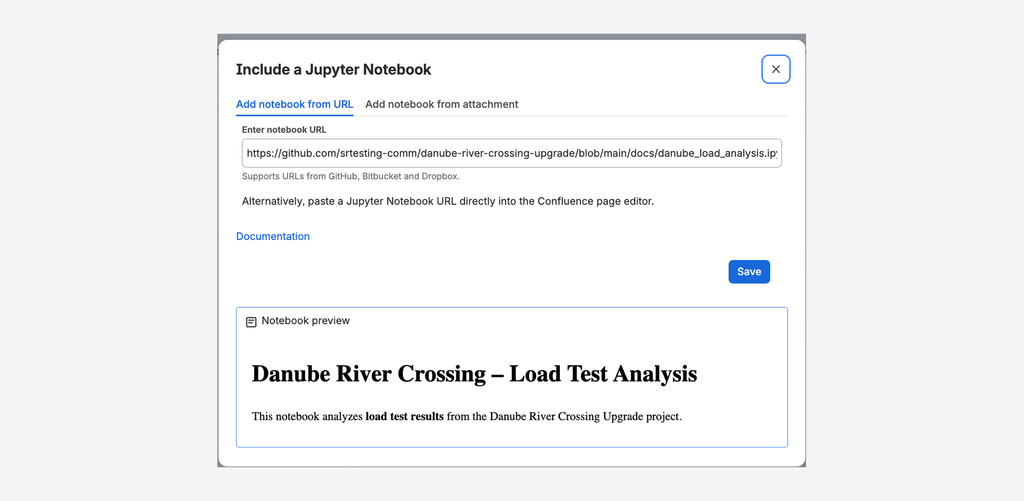
Access notebooks by URL, e.g. GitHub or Bitbucket

Supports to include Jupyter notebooks with an URL (e.g., Dropbox, Github, Bitbucket). Easy to use by copy&pasting the URL. Notebooks from private Github repositories are supported as well with token-based authentication.

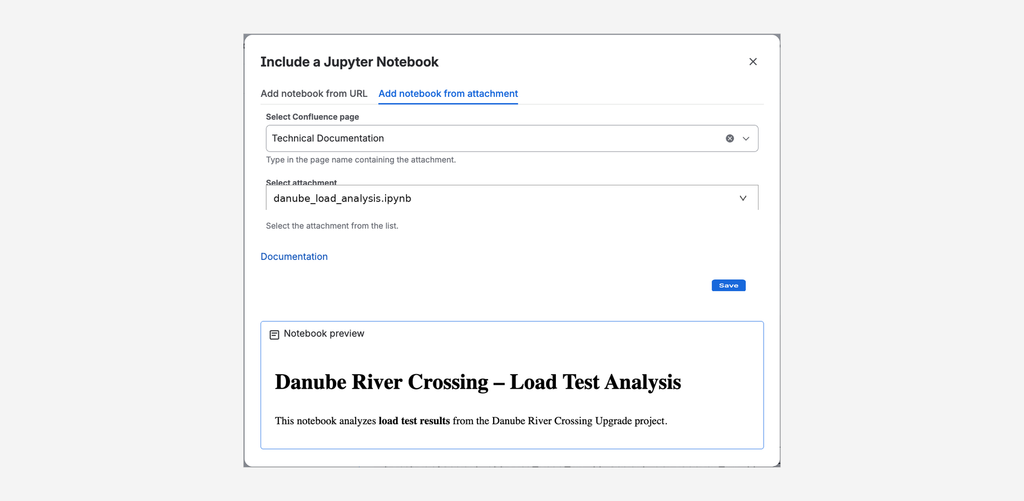
Renders Jupyter notebooks from page attachments

The Confluence macro can also render Jupyter notebooks attached to a Confluence page. Useful to have everything together on one page.
Why use Jupyter Viewer for Confluence?

Data science and research work happens in notebooks, but documentation, decisions, and knowledge-sharing happen in Confluence. Jupyter Viewer closes that gap instead of forcing your team to choose one or the other.

No conversion needed

Paste a URL or attach the file, the notebook renders as-is, with all outputs intact. No exporting to PDF or HTML first.

Multiple sources, one macro

GitHub, GitLab, Bitbucket Cloud, Bitbucket Data Center, Dropbox, or Confluence attachments: one macro handles them all.

Built for confidential work

Token-based auth for private GitHub repos and application-link auth for Bitbucket Data Center mean sensitive notebooks stay private while still being easy to share internally.

  • Does what it says on the tin! Would be nice to be able to upload local Notebook json, rather than a URL (minor). Also a name change to ‘Jupyter Notebook viewer’ would be timely!

    Richard Shanahan

Frequently asked questions

Couldn’t find what you need?

  • We provide detailed documentation on how we process personal data and how you can configure privacy settings to meet your organization’s requirements.

    Please refer to these sections for more information:

    • Privacy Policies: Our central Privacy Policy page explains our general approach to data protection and GDPR compliance.
    • Subprocessors: A current list of all third-party service providers we use is available on our Trust Center.

    For further inquiries regarding data protection or to request a Data Processing Addendum (DPA), please contact our Customer Support Team.

  • Information regarding the security measures, infrastructure, and compliance standards for our apps is centralized in our Trust Center and specific documentation pages.

    To find the details you need, please refer to the following resources:

    • General Security Overview: Visit our Trust Center for information on encryption, infrastructure, and certifications.
    • Data Residency: For details on where your data is stored and how to pin it to specific regions, see Data Residency for Elevatic Cloud apps.
    • App-Specific Security: Every app listing on the Atlassian Marketplace contains a Privacy & Security tab with a standardized security questionnaire.

    If you have specific security requirements or need a security whitepaper, please contact Customer Support.Pagination

Let’s make Atlassian
work better for your team

Our apps connect Confluence, Jira and Bitbucket with the tools you already use, like Git, Microsoft 365 and SharePoint.
Tell us what you need and we’ll help you find the right solution.