






















Rich User Profiles, Right Where Work Happens
From contact details to org structure, profile data stays synced and visible right where teams already work in Confluence.
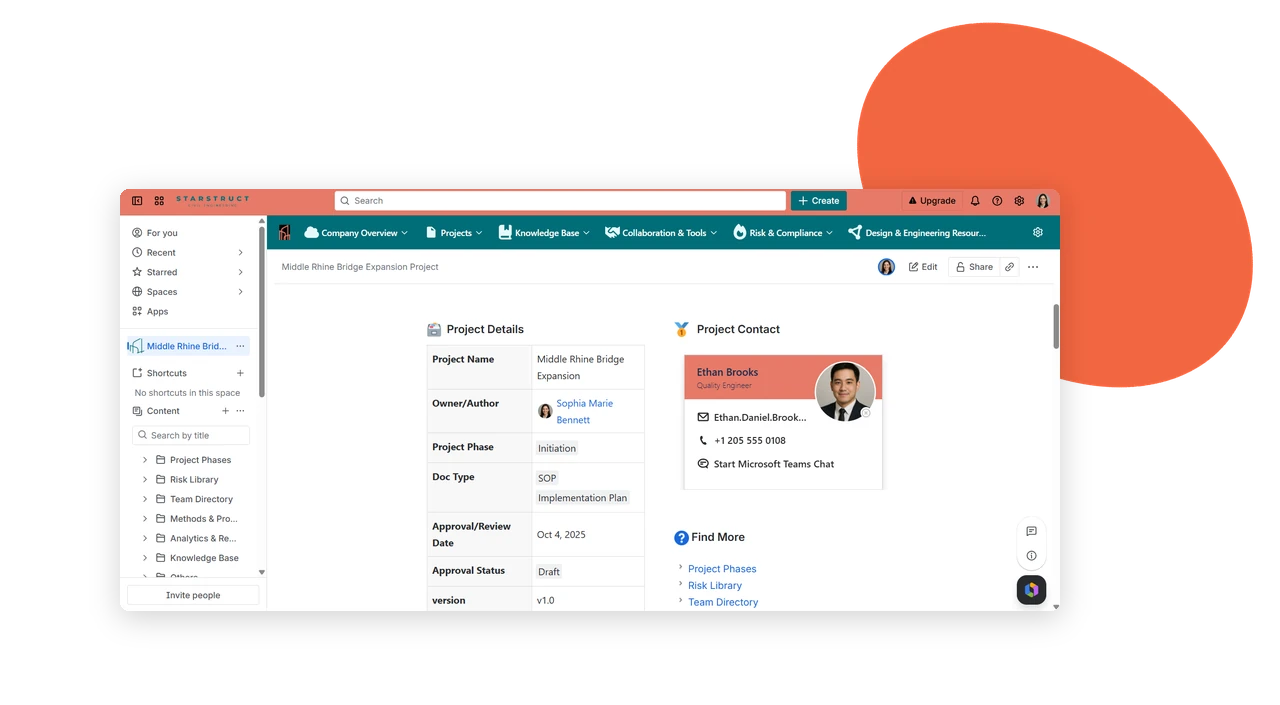
Contact, right on the page
Show Key Contacts with Rich User Profiles
Embed a contact person macro on any Confluence page or project page to surface the colleagues responsible for it – with fast, direct contact built right in.
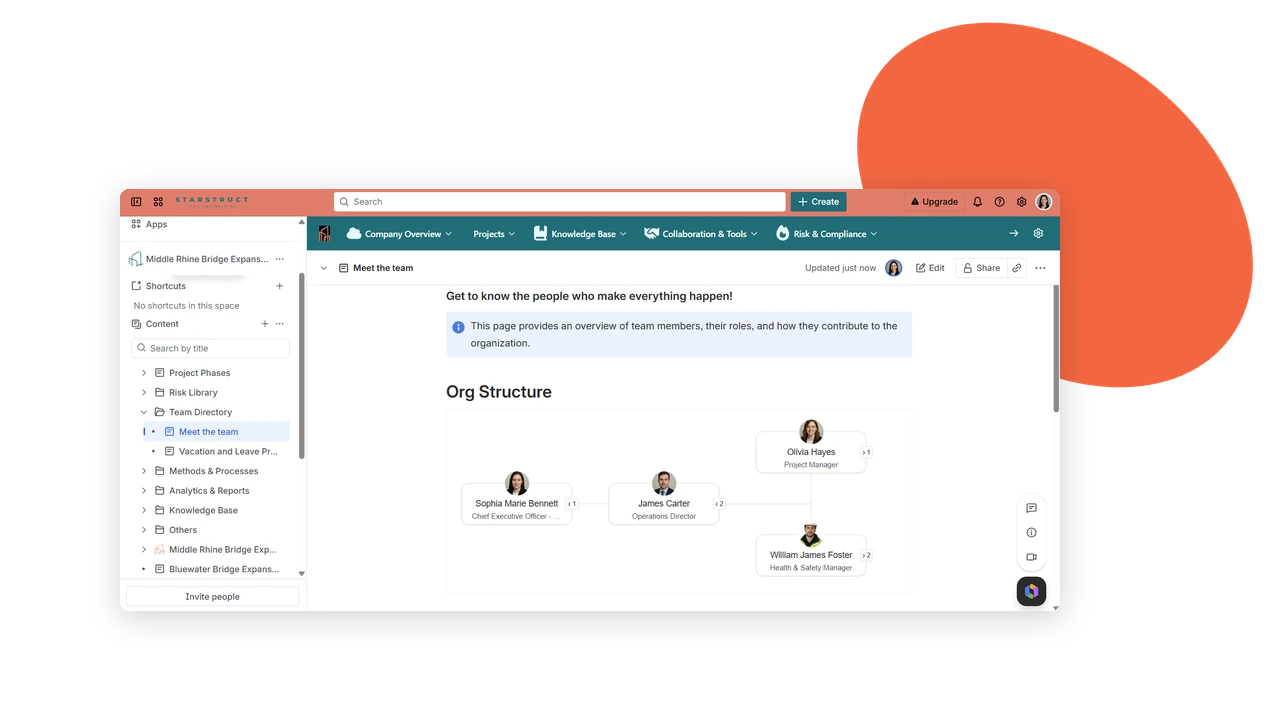
Structure, made visible
Map Out Team Structure with the Org Chart Macro
The Org Chart macro displays reporting lines right inside Confluence, laying out managers and direct reports in one clear view. Profile details such as position make it easy to spot the right person to contact.
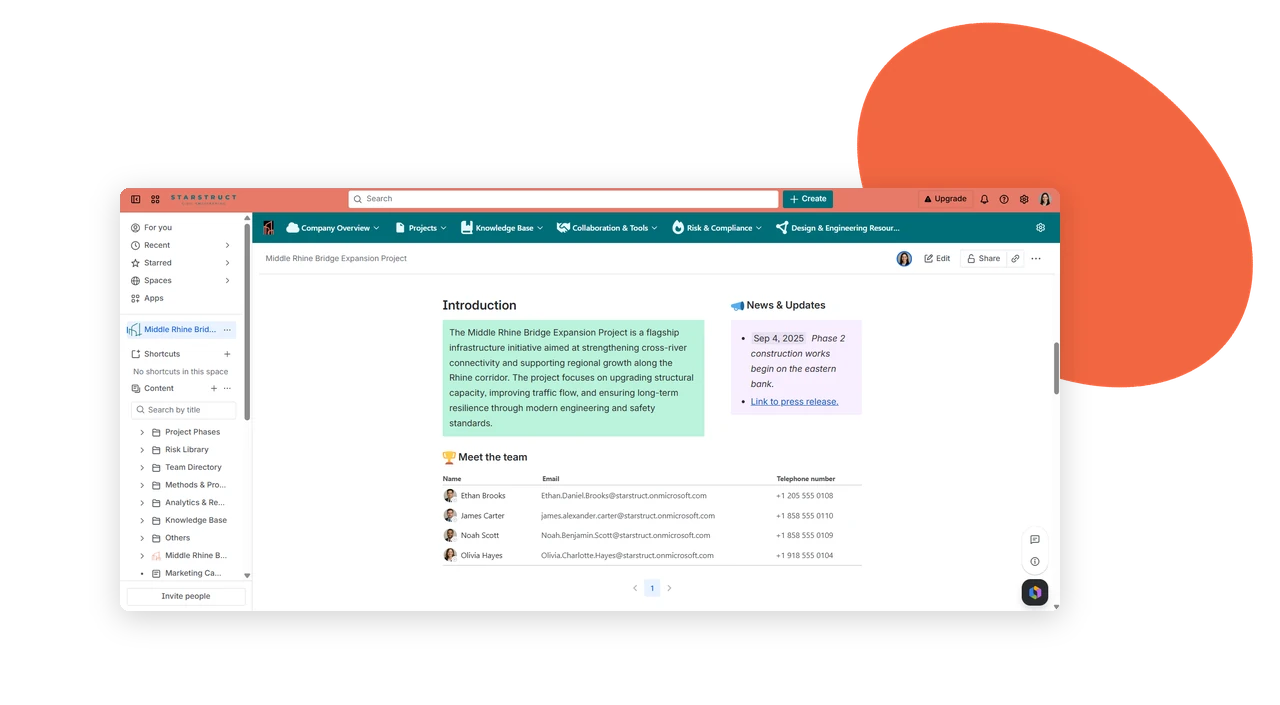
Find colleagues faster
Improve Collaboration with the Contact List Macro
Configure lists of Microsoft 365 users by position, department, or location. Each entry supports direct interaction, so reaching a colleague takes one click instead of a search.
Key benefits that keep work flowing
Profile data syncs from Microsoft Entra ID directly into Confluence – keeping contact info, team structure, and colleague lists accurate without manual updates.
Always Up to Date
Profile data syncs from Microsoft 365 automatically, so contact details never fall out of date or need manual correction.
No More “Who Owns This?”
The Contact Person macro shows exactly who’s responsible for a wiki page or project – no guessing, no asking around.
Reporting Lines, Visible
The Org Chart macro shows managers and direct reports in one clear view, right inside Confluence.
Stronger Cross-Team Collaboration
When contact and structure info is easy to find, teams reach across departments faster and with more confidence.
Lists Built Your Way
Configure contact lists by position, department, or location, and interact with entries for quick, direct outreach.
Start a Conversation Instantly
Profile macros link directly to Microsoft Teams, so reaching a colleague takes one click from the page.
See It in Action
Follow common scenarios where synced profile data helps teams connect, without leaving Confluence.
Know Who Owns This Page
Someone opens a wiki page and needs the responsible colleague. The Contact Person macro shows exactly who to reach – synced photo, email, phone, and position included.
See Reporting Lines Clearly
A new project needs the right stakeholders identified. The Org Chart macro maps managers and direct reports directly in Confluence, making structure easy to follow.
Start the Conversation Instantly
A profile macro links directly to Microsoft Teams. Instead of searching for contact details, the connection starts with one click, right from the page.
New Hires Find Their Way Faster
A new team member browses project pages and instantly sees who owns what, who reports to whom, and how to reach each colleague – no separate directory needed.