
We now have a new app documentation page! See how it works below ⬇️ or access it yourself.
✨ New Look: Easily navigate through our documentation with its new interface. Cloud apps are displayed at the top, on-premise apps are listed in the section below. This helps you access the documentation for the correct deployment.

🗂️ Improved Layout: Find what you need without distraction:
- The table of contents of a page is always in the right column.
- The streamlined space navigation is always visible on the left.
- The page header always contains the breadcrumb navigation.

🔍 Easy Search: Search all apps by using the search box on the homepage.

Use the sidebar search to get results for a specific app.

🚦 Cloud Status: Thanks to the integration of our Statuspage for Cloud apps, you can see right in the documentation if a system is down or there is scheduled maintenance from our end.

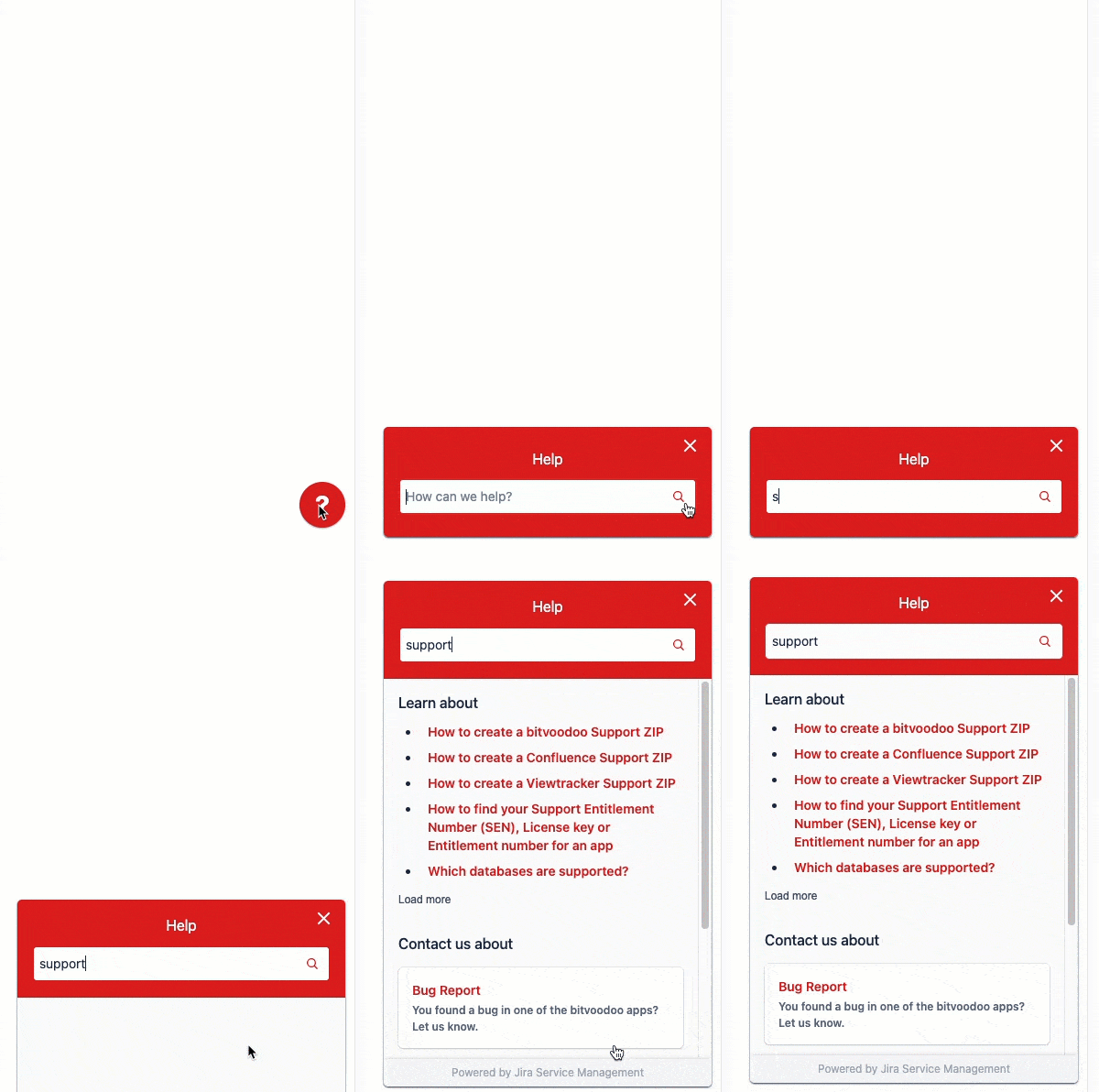
❓ App Support: Do you have a question? Just hit the question mark at the bottom right for assistance.
- Create a support ticket with a few clicks.
- Use the search to access relevant documentation.
We hope you’ll enjoy using our new app documentation. If anything is not working as expected, our app support is just a few clicks away.
We created our new documentation website using the Marketplace app Scroll Viewport by K15t.
📖 Read how bitvoodoo’s Viewtracker integrates with Scroll Viewport on Cloud and Data Center.